

Proxy6 is a budget datacenter proxy provider best suited for light automation, simple scraping, bot workflows, and users who need cheap IPv4 or IPv6 proxies with SOCKS5 support. It delivers practical value for small-scale, controlled tasks, especially if you want static proxies at a low entry price.
That said, Proxy6 is not built for large-scale scraping, premium geo-targeting, residential proxy use cases, or workflows that need rotating IPs, city-level targeting, ISP filters, or enterprise-grade controls.
Key Features
- Affordable shared IPv4 pricing
- HTTP, HTTPS, SOCKS5 and MTproto support
- IPv4, shared IPv4, IPv6, and MTProto options
- Dashboard proxy status visibility
- Per-proxy ping testing for availability checks
- Built-in proxy checker, WHOIS, blacklist check, and port scanner
- Basic API access for proxy management
Best For
- Budget automation workflows
- Light scraping on low to medium protection targets
- Long-term bot workloads that need stable static IPs
- Users needing cheap SOCKS5 datacenter proxies
- Not ideal for rotating residential or enterprise-scale scraping
Pros
- Very low-cost proxy plans
- SOCKS5 works alongside HTTP and HTTPS
- Fast setup after purchase
- Useful built-in proxy tools
- Support may replace broken proxies when needed
Cons
- Datacenter proxies only
- No rotating proxy gateway or TTL controls
- No residential, ISP, or mobile proxies
- Limited geo targeting beyond country selection
Proxy Score Breakdown
Network Quality & Reach: 2 / 5
Performance & Reliability: 2.7 / 5
Security & Privacy: 2.8 / 5
Features & Flexibility: 2.9 / 5
Ease of Use & Dashboard: 2.6 / 5
Pricing & Value: 3 / 5
Support & Documentation: 3.2 / 5
Table of Contents
Introduction to Proxy6
Proxy6 is a low-cost datacenter proxy provider offering IPv4, IPv6, HTTP, HTTPS, and SOCKS5 proxy access. It is built around affordable static proxies rather than premium rotating residential networks, which makes it more suitable for simple automation, bot workflows, and light scraping than advanced anti-detection use cases.
In this Proxy6 review, we evaluate the service across seven core areas: network quality, performance, security and privacy, features, ease of use, pricing, and support. The goal is to show where Proxy6 delivers practical value, where it feels limited, and who should realistically consider using it.
What This Proxy6 Review Covers
This review looks at Proxy6 as a budget datacenter proxy provider, not as a full-scale enterprise proxy platform. We examine its proxy types, country coverage, SOCKS5 support, API access, dashboard experience, pricing model, and support quality.
We also pay close attention to its limitations. Proxy6 does not offer residential proxies, mobile proxies, ISP proxies, rotating gateways, city-level targeting, or advanced enterprise controls. That makes the service easier to understand, but also narrower in scope than premium proxy providers.
- Public Proxy6 documentation
- Pricing and order pages
- FAQ, API, privacy policy, and support pages
- Dashboard observations
- Selective long-term personal usage observations
- Conservative scoring where independent benchmarks were unavailable
Who This Review Is For
Budget Proxy Buyers
Proxy6 is a practical fit if you want cheap static datacenter proxies without paying for premium residential or enterprise proxy features.
Bot & Automation Users
It works best for simple, controlled bot workloads that need stable IPv4 or IPv6 proxies with HTTP, HTTPS, or SOCKS5 support.
Developers Needing SOCKS5
Developers who need affordable SOCKS5 endpoints for scripts, automation tools, or basic proxy integrations may find Proxy6 easy to work with.
Light Scraping Tasks
Proxy6 can be useful for light scraping on low to medium protection targets, especially when request volume is modest and IP rotation is not required.
Not for Rotating Residential Needs
If you need rotating residential proxies, mobile IPs, ISP proxies, or premium anti-bot performance, Proxy6 is probably not the right fit.
Not for Enterprise Controls
Teams needing deep geo-targeting, city-level filters, sub-users, usage analytics, SLAs, or enterprise-grade controls should look at more advanced proxy platforms.
Network Quality & Reach
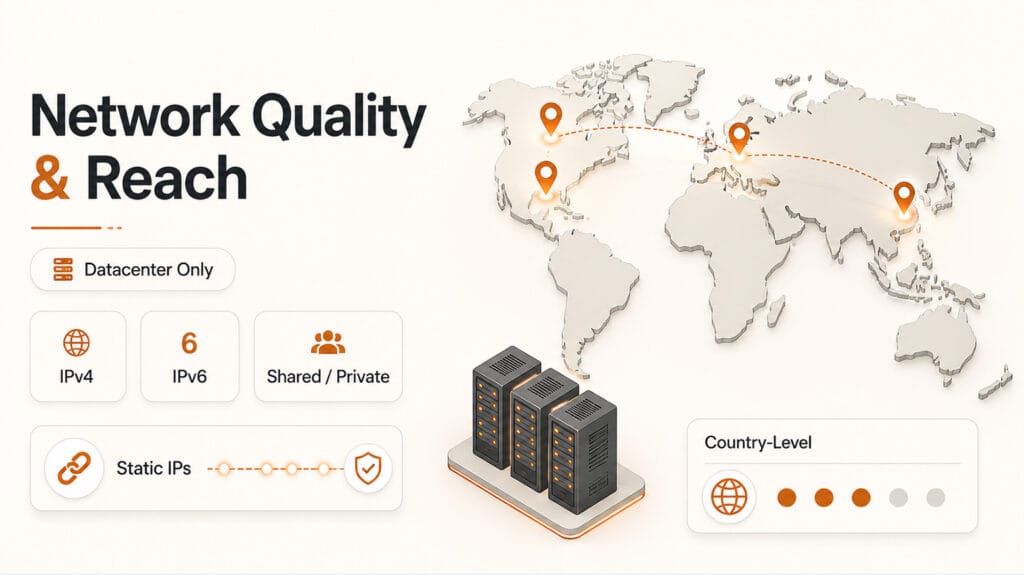
Proxy6 earns a 2.0 / 5 for Network Quality & Reach. This is its weakest scoring category, mainly because the service is built around a limited datacenter-only proxy model rather than a broad residential, ISP, mobile, or rotating proxy network.
That does not make Proxy6 unusable. For basic country-level datacenter proxy needs, it can still be practical and affordable. The main limitation is scope: users expecting premium geo-targeting, rotating sessions, or large-scale proxy diversity will quickly run into its boundaries.
IP Pool Size & Diversity
Proxy6 focuses on datacenter proxies, with IPv4 and IPv6 options available. It offers both shared IPv4 proxies and dedicated/private IPv4 proxies, which gives users a useful choice between low cost and more exclusive access.
The main limitation is diversity. Proxy6 does not disclose its total IP pool size and does not offer residential, ISP, or mobile proxies. This makes it suitable for simple datacenter proxy needs, but weaker for users who need broad proxy-type coverage or identity-sensitive workflows.
Proxy6 Pool Overview
- Total IP pool size: Not publicly disclosed
- Proxy type: Datacenter proxies only
- Available IP formats: IPv4 and IPv6
- Access model: Shared IPv4 and dedicated/private IPv4 options
- Not available: Residential, ISP, or mobile proxies
- Not available: Rotating residential-style pools or backconnect gateways
Geographic Distribution
Proxy6 supports country-level targeting, which is enough for basic location-based proxy use. Available locations are mainly concentrated across North America, Europe, and selected parts of Asia, depending on proxy type and current stock.
The limitation is scale. Proxy6 does not offer the broad 50+, 100+, or 190+ country coverage found in larger proxy networks, and there is no automatic global load balancing across regions.
City-Level and Deeper Targeting
Proxy6 keeps location targeting simple. Users can select proxies by country, but there are no controls for city, ZIP code, state, region, ISP, or ASN targeting.
This is acceptable for basic geo needs, such as choosing a proxy from the United States, Germany, France, or another supported country. However, it is too limited for users who need precise local targeting, ad verification, localized SEO tracking, or advanced anti-detection workflows.
In practice, Proxy6 works best when country-level location is enough. If your workflow depends on city-level accuracy, ISP selection, or micro-location control, a more advanced proxy provider will be a better fit.
Rotation & Session Management
Proxy6 uses static proxies, which means each IP stays the same for the rental period. This is useful for long-lived sessions, account-based workflows, bot tasks, and setups where a stable IP is more important than frequent IP changes.
The trade-off is that Proxy6 does not provide a rotating gateway, per-request rotation, timed rotation, or TTL controls. If an IP needs to change, the user has to replace it manually or wait for the rental cycle to change.
For simple automation, this static model can be predictable and easy to manage. For scraping workflows that depend on frequent IP rotation, Proxy6 will feel limited compared with rotating residential or backconnect proxy services.
| Session Type | Proxy6 Support | Behavior | Best For |
|---|---|---|---|
| Static Proxies | Supported | The same IP stays active for the rental period. | Long-lived sessions, account workflows, basic bots |
| Rotating Gateway | Not supported | No automatic gateway that assigns new IPs. | High-scale scraping, ban reduction, broad rotation |
| Timed or TTL Rotation | Not supported | No session timer or configurable IP lifespan. | Scraping workflows that need scheduled IP changes |
| Per-Request Rotation | Not supported | No new IP is assigned on every request. | Large request batches, strict anti-bot targets |
IP Quality & Reputation
Proxy6 offers average datacenter IP quality. For basic automation and low to medium protection targets, the proxies can be usable, especially when request volume is controlled and the target site is not heavily protected.
Shared IPv4 proxies are more likely to trigger CAPTCHAs or blocks because they may have been used by other customers before. Dedicated/private IPv4 proxies usually provide a cleaner experience, but they are still datacenter IPs, not residential or ISP-grade addresses.
The main limitation is transparency. Proxy6 does not publish blacklist-cleanliness metrics, ban-rate data, ASN diversity reports, or third-party IP reputation benchmarks. That makes it fair to treat the IP quality as workable, but not premium.
Targeting Capabilities
Proxy6 has minimal advanced targeting. Beyond country selection, there are no controls for ASN targeting, ISP targeting, mobile carrier filters, ZIP codes, device types, or fingerprint-style targeting.
This keeps the service simple and affordable, but it also limits its usefulness for more precise proxy workflows. Users who need to simulate specific networks, carriers, cities, or device environments will need a more advanced provider.
For Proxy6, the targeting model is best understood as basic country-level datacenter proxy selection. It is enough for simple use cases, but not enough for advanced scraping, ad verification, or enterprise geo-testing.
Network Quality & Reach Score
Proxy6 has a limited but usable datacenter-only network. It works for basic country-level proxy needs, but lacks the proxy-type diversity, rotation controls, and advanced targeting depth found in premium proxy networks.
- ✅ Offers IPv4 and IPv6 datacenter proxy options
- ✅ Supports both shared IPv4 and dedicated/private IPv4 access
- ✅ Country-level targeting is available for basic geo needs
- ✅ Static IP behavior is useful for long-lived sessions and simple bot workflows
- ⚠️ Total IP pool size is not publicly disclosed
- ⚠️ No residential, ISP, or mobile proxies
- ⚠️ No rotating gateway, per-request rotation, timed rotation, or TTL controls
- ⚠️ No city, ZIP, ASN, ISP, carrier, or device-level targeting
Performance & Reliability
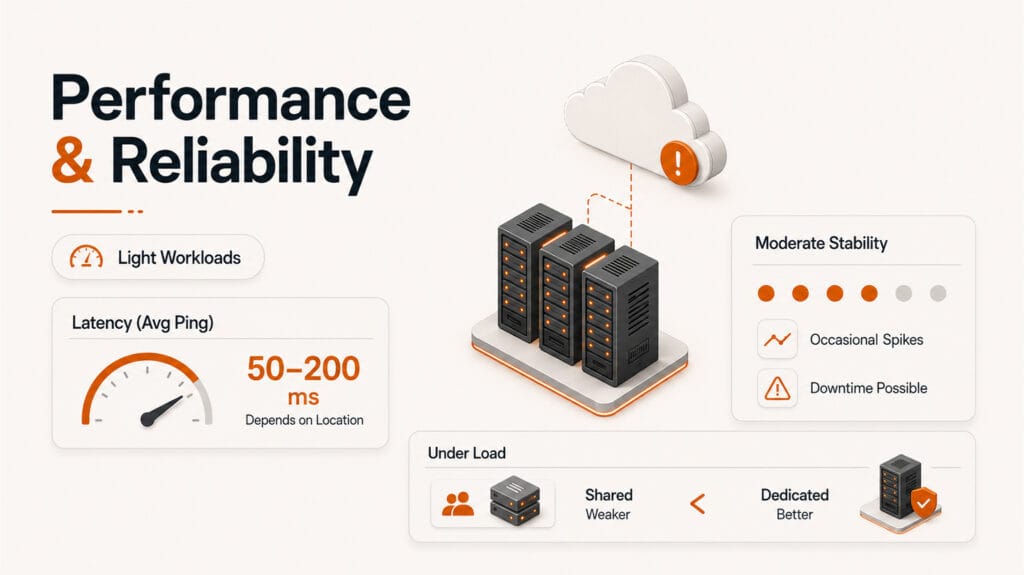
Proxy6 earns a 2.7 / 5 for Performance & Reliability. In everyday use, it performs acceptably for light to moderate workloads, especially when used on APIs, simple tools, and websites that are not heavily protected.
Its static datacenter model keeps performance predictable, but it is not designed for high-volume scraping, automatic retries, or rate-limit-resistant automation. Users who need built-in failover, rotating pools, or large-scale load distribution will likely find Proxy6 too limited.
How Performance Was Evaluated:
Success Rate
Proxy6 provides stable request completion on low to medium protection targets. It is generally usable for APIs, basic websites, simple automation tools, and bot workflows where request volume is controlled.
The main limitation is that success rates are not publicly benchmarked. Proxy6 does not publish request completion percentages, uptime-backed performance claims, or independent success-rate test results. Because of that, we score this area conservatively.
In practice, Proxy6 should work well enough for normal datacenter proxy tasks, but users should expect more failures on strict platforms. Shared IPs are more likely to trigger blocks, while dedicated/private IPv4 proxies usually provide a cleaner and more stable experience.
For light automation, this is acceptable. For high-success scraping across protected targets, Proxy6 lacks the residential fallback, rotation layer, and anti-blocking infrastructure needed to compete with premium proxy networks.
CAPTCHA and Block Incidence
Proxy6 has a moderate CAPTCHA and block risk, which is typical for datacenter proxies. It can work well on low to medium protection targets, but stricter platforms may detect and challenge the IPs more often.
Shared IPv4 proxies carry the highest risk because the same IPs may have been used by other customers before. This can lead to more CAPTCHAs, 403 errors, 429 rate limits, or temporary blocks, especially on search engines, social platforms, e-commerce sites, and Cloudflare-protected pages.
Dedicated/private IPv4 proxies usually perform better because they reduce shared-user reputation issues. However, they are still datacenter IPs, so they do not provide the same trust profile as residential, ISP, or mobile proxies.
Proxy6 does not include a CAPTCHA-solving system, residential fallback, automatic challenge bypass, or anti-detection layer. For the best results, users should keep request rates controlled, avoid aggressive scraping patterns, and use dedicated proxies when reputation matters.
Speed & Latency
Proxy6 delivers practical speed for normal datacenter proxy use. Since it uses static datacenter proxies rather than rotating gateways, there is no added backconnect routing layer that can increase latency.
In personal use, average ping was usually around 50 to 200 ms, depending on the proxy location, user location, and target server. This is acceptable for APIs, simple automation tools, account-based workflows, and basic scraping tasks.
That said, latency is not guaranteed. Occasional spikes can happen, especially across longer routes or during datacenter congestion. Proxy6 also does not publish official latency benchmarks, regional speed tables, or SLA-backed response-time guarantees.
Overall, Proxy6 feels fast enough for light to moderate workloads, but it should not be treated as a premium low-latency proxy network.
During personal use, Proxy6 ping times were usually around 50 to 200 ms, depending on the proxy location, user location, and target server. This is practical for APIs, basic automation, and light scraping, but it should not be treated as a guaranteed benchmark.
- Best case: Nearby datacenter route with simple target
- Observed range: Around 50 to 200 ms in normal use
- Possible issue: Occasional spikes across longer routes or busy periods
- Missing: No public latency SLA or regional benchmark table
Uptime & Stability
Proxy6 is generally stable for long-term static proxy use. In normal workloads, proxy endpoints are usually reachable, and connection drops are not a major recurring issue under controlled usage.
One useful dashboard detail is that Proxy6 highlights affected or unavailable proxies, which makes it easier to notice when a specific IP has a problem. In our usage, some downtime incidents were resolved within hours, and issues appeared more IP-specific than platform-wide.
The limitation is transparency. Proxy6 does not provide a public uptime status page, historical uptime reports, or SLA-backed availability guarantees. This makes it difficult to verify long-term uptime in the same way you could with a more enterprise-focused proxy provider.
Overall, Proxy6 is stable enough for light automation, account workflows, and basic scraping, but it should not be treated as a high-availability proxy platform for mission-critical workloads.
Error Handling & Retries
Proxy6 does not provide automatic retry logic, smart failover, or gateway-level recovery. If a request fails, users need to handle retries inside their own scripts, bots, scraping tools, or automation setup.
This is acceptable for developers who already manage errors manually. Standard proxy-related issues, such as authentication failures, blocked requests, expired proxies, or target-side HTTP errors, can usually be detected through normal HTTP responses.
The limitation is that Proxy6 does not offer advanced diagnostics. Error messages are basic, and there is no centralized failure dashboard showing whether an issue is caused by the proxy, the target website, authentication, rate limits, or IP reputation.
For simple use, this is manageable. For larger automation workflows, users should build their own retry rules, timeout handling, proxy replacement logic, and fallback behavior.
Performance Under Load
Proxy6 is best suited for light to moderate workloads. It can handle normal automation tasks, simple scraping, and account-based workflows when request volume is controlled.
Under heavier load, the limitations become more visible. Shared IPv4 proxies can degrade faster because multiple users may affect IP reputation, speed, and rate-limit exposure. Dedicated/private IPv4 proxies usually perform better, but they are still limited by single-IP capacity.
Proxy6 does not provide a load-balancing layer, rotating gateway, automatic IP distribution, or adaptive request smoothing. This makes it a weak fit for large request batches, strict rate-limit targets, or high-concurrency scraping.
For best results, users should keep concurrency modest, tune delays between requests, monitor failure rates, and avoid pushing a single IP too aggressively.
| Use Case | Proxy6 Fit | Performance Notes |
|---|---|---|
| APIs and Simple Tools | Good Fit | Stable enough for basic requests, simple integrations, and controlled usage. |
| Light Automation | Good Fit | Works well when request rates are modest and targets are not heavily protected. |
| Account-Based Workflows | Good Fit | Static IPs are useful when session consistency matters more than rotation. |
| Basic Scraping | Conditional Fit | Usable on low to medium protection targets, but requires tuned delays and conservative request volume. |
| Strict Anti-Bot Targets | Weak Fit | Higher CAPTCHA and block risk because Proxy6 uses datacenter IPs with no residential fallback. |
| High-Volume Scraping | Poor Fit | No rotating gateway, load-balancing layer, automatic retries, or rate-limit mitigation. |
Performance & Reliability Score
Proxy6 delivers acceptable performance for light to moderate workloads, especially when used with APIs, simple tools, and low to medium protection targets. Its static datacenter model is practical, but the service lacks the retry logic, rotation layer, and scaling tools needed for high-volume scraping.
- ✅ Stable request completion on low to medium protection targets
- ✅ Practical latency for normal datacenter proxy use
- ✅ Generally stable for long-term static proxy sessions
- ✅ Dedicated/private IPv4 proxies usually perform better than shared IPs
- ⚠️ Moderate CAPTCHA and block risk on strict platforms
- ⚠️ No public success-rate, latency, or uptime benchmarks
- ⚠️ No automatic retry logic, smart failover, or load balancing
- ⚠️ Weak fit for high-concurrency scraping and strict rate-limit targets
Security & Privacy
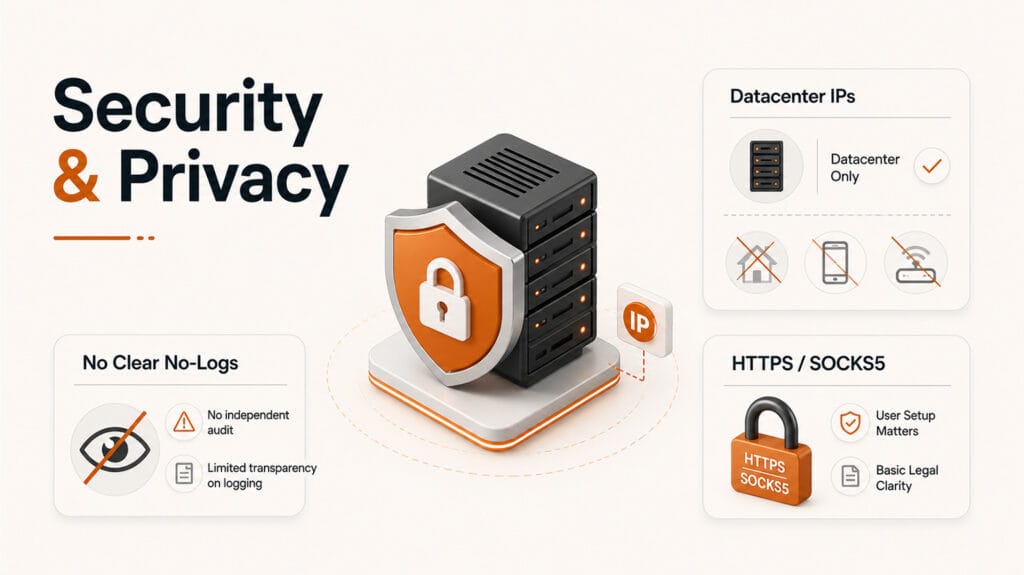
Proxy6 earns a 2.8 / 5 for Security & Privacy. Its strongest point is IP sourcing: the service is clearly based on datacenter proxies, which avoids many of the ethical risks linked to residential, P2P, or SDK-based proxy networks.
The weaker side is privacy transparency. Proxy6 does not publish a clear no-logs policy, does not explain proxy usage retention in detail, and offers only basic legal and privacy documentation. This makes it acceptable for ordinary proxy tasks, but less suitable for privacy-sensitive users.
IP Sourcing Transparency
Proxy6 is clear about the type of proxies it sells. The service is built around datacenter proxies, including IPv4 and IPv6 options, rather than residential, mobile, ISP, P2P, or SDK-based proxy sourcing.
This is a positive trust signal. Proxy6 does not use misleading language such as “real user IPs,” “organic residential traffic,” or “peer-powered network.” That lowers the ethical risk compared with providers that rely on end-user devices, bandwidth-sharing apps, or unclear residential sourcing models.
The limitation is depth. Proxy6 does not deeply explain which datacenters, upstream providers, or leasing arrangements are used behind the scenes. So while the proxy type is clear, the full supply-chain details are not highly transparent.
Overall, Proxy6 looks relatively low risk from an IP sourcing perspective. It is not a privacy-first provider, but its datacenter-only model is cleaner and more straightforward than vague residential or P2P proxy networks.
Logging & Anonymity Policy
Proxy6 is weaker on privacy transparency than it is on IP sourcing. The service does not publish a clear no-logs policy, and it does not clearly explain whether proxy traffic, connection metadata, request history, or destination data is stored.
Proxy6 usage is also account-linked. Users authenticate through their account, IP authorization, or proxy credentials, which means proxy sessions are not fully anonymous from the provider’s perspective.
This does not prove that Proxy6 logs sensitive traffic. However, the lack of clear retention rules makes privacy confidence limited. Users do not get enough detail about what metadata is collected, how long it is kept, or whether it can be linked back to an account.
For ordinary automation, this may be acceptable. For privacy-sensitive work, whistleblowing, investigative research, or high-risk anonymity needs, Proxy6 is not the ideal choice.
Proxy6 is clear about offering datacenter proxies, but it is less transparent about logging. The provider does not publish an explicit no-logs policy or clearly explain how proxy usage metadata is handled.
- No explicit no-logs policy: Proxy traffic and metadata retention are not clearly defined
- Account-linked usage: Proxy access is tied to user accounts, credentials, or IP authorization
- No retention timeline: There is no clear public statement on how long connection metadata may be stored
- Best interpretation: Acceptable for ordinary proxy use, but weak for privacy-sensitive workflows
Encryption & Traffic Security
Proxy6 supports standard proxy protocols, including HTTP, HTTPS, and SOCKS5. This gives users flexibility across browsers, automation tools, bots, scripts, and proxy-compatible applications.
For HTTPS proxying, traffic between the client and proxy can be encrypted with TLS, depending on how the user configures the connection. End-to-end protection also depends on the destination website using HTTPS.
The main limitation is that Proxy6 does not publish detailed security hardening information. There are no public details about enforced TLS versions, cipher suites, Perfect Forward Secrecy, DNS handling, or independent security audits.
Proxy6 also does not provide built-in DNS leak protection, IP leak protection, or privacy-focused configuration guidance. This means traffic security depends heavily on the user’s setup, browser, app, DNS behavior, and proxy configuration.
Jurisdiction & Legal Clarity
Proxy6 provides basic legal and privacy documentation, but its legal clarity is weaker than what we see from more mature proxy or privacy providers.
Proxy6 is commonly associated with 🇷🇺 Russia or CIS-region operations, but its legal entity details and governing jurisdiction are not clearly disclosed. This does not automatically make the service unsafe, but it does create a transparency gap for users who care about privacy, legal requests, or data-handling obligations. Its legal entity details, governing law, data-handling responsibilities, and regulatory position are not explained in depth.
This matters because proxy services handle account access, authentication data, and potentially connection-related metadata. Without clear jurisdiction and retention language, users have less visibility into how legal requests, disputes, or data-handling obligations may be managed.
Proxy6 also does not provide a detailed GDPR explanation, data retention timeline, or privacy-rights workflow. This does not make the service unsafe by itself, but it does limit trust for users who need strong legal transparency.
Proxy6 provides basic privacy and terms documentation, but its legal structure is not explained in depth. The service is commonly associated with Russia or CIS-region operations, while clear corporate registration and governing-law details are not prominently disclosed.
- Privacy and terms pages: Available, but basic
- Jurisdiction signal: 🇷🇺 Russia/CIS-region association, but no clear legal registration disclosure
- Governing law details: Not clearly explained in depth
- Data retention language: Limited and not specific enough
- GDPR guidance: No strong user-rights or data-request workflow
- Privacy impact: Legal clarity is weaker than premium proxy providers
Abuse Handling & Compliance
Proxy6 includes basic rules against prohibited use, and the provider can suspend or terminate accounts that violate its terms. This gives the service a baseline abuse-control framework.
However, the process is not very transparent. Proxy6 does not publish a detailed abuse-reporting workflow, escalation process, response-time standard, or public compliance procedure for handling complaints.
There also does not appear to be a formal KYC process for normal account creation. This keeps the service easy to access, but it also means the compliance model is lighter than what we see from more mature business or enterprise proxy providers.
Proxy6 also provides limited detail around GDPR, DMCA handling, data subject requests, or legal complaint procedures. In practice, compliance appears to be handled through general terms and account enforcement rather than a clearly documented policy framework.
For ordinary proxy use, this is acceptable. For companies that need formal abuse handling, compliance contacts, audit trails, or structured legal procedures, Proxy6 may feel too basic.
Proxy6 supports standard proxy protocols, but it does not include the deeper privacy and security protections found in more mature privacy-focused services.
- HTTP, HTTPS, and SOCKS5: Supported for standard proxy use
- MTproto Proxy: Supported for Telegram use only
- Datacenter sourcing: Lower ethical risk than residential, P2P, or SDK-based proxy networks
- No explicit no-logs policy: Proxy traffic and metadata retention are not clearly defined
- No TLS hardening details: Cipher suites, TLS versions, and security configuration are not publicly documented
- No built-in DNS leak protection: DNS behavior depends on the user’s app and proxy setup
- No built-in IP leak protection: Users must configure their tools correctly to avoid direct connections
- No independent privacy audit: Logging, retention, and security claims are not externally verified
- Best practice: Test browser, app, DNS, and proxy behavior before using Proxy6 for sensitive workflows
Security & Privacy Score
Proxy6 has a relatively low-risk sourcing model because it uses datacenter proxies and does not make residential, P2P, or SDK-based IP claims. However, privacy transparency is limited by the lack of an explicit no-logs policy, unclear retention details, and basic legal documentation.
- ✅ Clearly datacenter-based proxy sourcing
- ✅ No residential, P2P, SDK, or “real user IP” sourcing claims
- ✅ HTTP, HTTPS, and SOCKS5 proxy support
- ✅ Basic prohibited-use rules and account suspension rights exist
- ⚠️ No explicit no-logs policy for proxy usage
- ⚠️ Proxy access is tied to user accounts or credentials
- ⚠️ No clear retention details for traffic or connection metadata
- ⚠️ Legal jurisdiction is not clearly disclosed, with 🇷🇺 Russia/CIS-region association signals
- ⚠️ No strong GDPR, DMCA, or legal request workflow documentation
Features & Flexibility
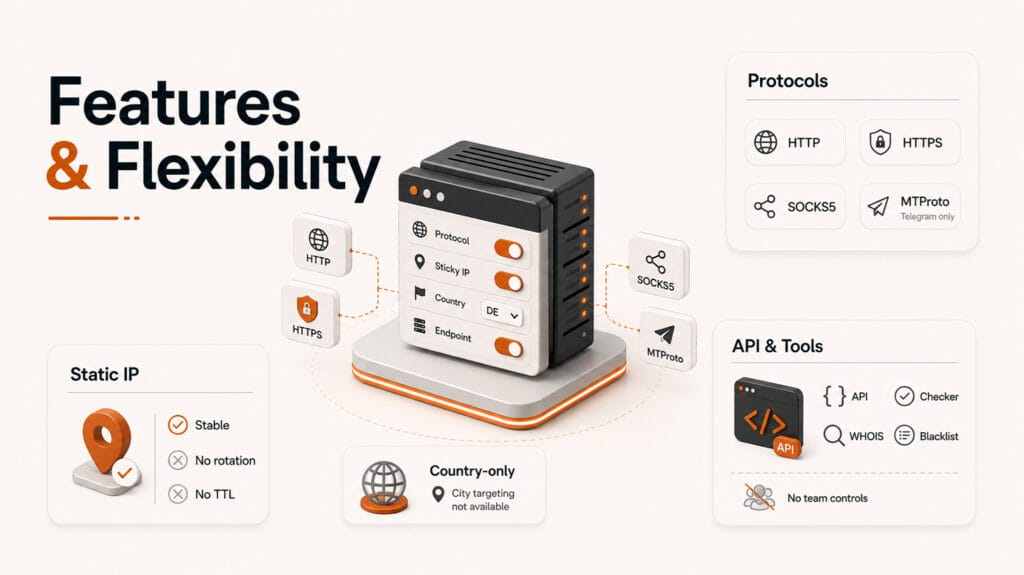
Proxy6 earns a 2.9 / 5 for Features & Flexibility. Its biggest strengths are basic protocol compatibility, static IP behavior, API access, and a useful set of built-in proxy tools.
The main limitation is flexibility. Proxy6 does not offer rotating proxies, TTL controls, advanced geo filters, SDKs, team dashboards, sub-users, or traffic analytics. This makes it practical for simple proxy workflows, but limited for advanced scraping, agency, or enterprise use cases.
Protocol Support
Proxy6 supports the core proxy protocols most users expect: HTTP, HTTPS, and SOCKS5. This gives it broad compatibility with browsers, bots, scraping tools, SEO software, command-line tools, and automation frameworks.
HTTP and HTTPS support make Proxy6 easy to use with standard web requests and browser-based workflows. SOCKS5 support is also useful for applications and automation setups that need broader protocol compatibility than basic HTTP proxying.
In addition to HTTP, HTTPS, and SOCKS5 support, Proxy6 also sells MTProto proxies for Telegram-only use. This is useful for users who specifically need Telegram proxy connectivity, but it should not be confused with general-purpose SOCKS5, HTTP, or rotating proxy support.
MTProto improves Proxy6’s feature coverage slightly, but it is a narrow use-case feature. It does not make Proxy6 suitable for residential scraping, mobile proxy workflows, or advanced anti-bot use cases.
Protocol switching is functional, but manual. Users typically switch protocols by changing the endpoint, port, or client configuration. There is no dynamic protocol toggle, per-request routing rule, or smart protocol selection layer.
HTTP Supported HTTPS Supported SOCKS5 Supported MTproto Supported Manual SwitchingSticky Sessions and Static IP Behavior
Proxy6 works well for sticky sessions because its proxies are static by design. Once a proxy is assigned, the same IP remains active for the rental period, which creates a stable identity for repeated requests.
This is useful for account logins, browser sessions, automation tools, and workflows where consistency matters more than rotation. For example, users running bots or account-based tools may prefer the same IP to remain unchanged across multiple sessions.
However, this should not be confused with advanced sticky session management. Proxy6 does not let users configure sticky session duration, rotate after a custom time window, or manage multiple sticky profiles from a dashboard.
In practice, Proxy6 offers reliable static IP behavior, not advanced session controls. That makes it practical for persistent identity workflows, but limited for users who need configurable session logic.
Rotation and TTL Controls
Proxy6 does not offer IP rotation. Its proxies are static, which means the same IP remains active for the full rental period unless the user replaces it manually or changes their order.
There are no rotation frequency controls, no per-request rotation, no timed rotation, and no custom TTL settings. Proxy6 also does not provide a backconnect gateway that can automatically assign new IPs from a larger pool.
This is one of the biggest flexibility limits in the service. Static IPs are useful for account consistency, but they are weaker for scraping workflows that need frequent IP changes to reduce blocks, CAPTCHAs, or rate limits.
For light automation, this may not be a problem. For high-volume scraping or anti-bot-sensitive workflows, the lack of rotation and TTL controls is a major limitation.
Filtering and Targeting Options
Proxy6 keeps targeting simple. Users can select proxies by country, which is enough for basic geo selection and simple location-based proxy use.
The limitation is that Proxy6 does not offer deeper targeting filters. There is no city targeting, ZIP targeting, region or state targeting, ISP filtering, ASN selection, mobile carrier filtering, or device-level targeting.
This makes Proxy6 usable for simple tasks where choosing a country is enough. For example, a user may only need a proxy from the United States, Germany, France, or another available location.
However, it is not suitable for advanced ad verification, localized SEO tracking, anti-detection workflows, or projects that need precise network identity control. Users who need city-level accuracy, ISP diversity, or mobile carrier targeting should look at a more advanced proxy provider.
API Access & Automation
Proxy6 provides an API, which is one of its stronger flexibility features for a budget proxy provider. The API can be used for basic account and proxy management tasks, including retrieving proxy lists, checking account details, and managing orders.
This is useful for developers, bot users, and automation setups that need to pull proxy credentials programmatically instead of managing everything manually through the dashboard.
That said, the API is focused on management, not advanced traffic control. Proxy6 does not provide API-level rotation controls, session controls, traffic analytics, smart failover, or performance monitoring.
There are also no official SDKs, Postman collections, or ready-made integrations. Developers can still integrate the API with custom scripts, but the experience is more DIY than plug-and-play.
Overall, Proxy6 offers a functional API for simple automation, but it is not an enterprise-grade developer platform.
Sub-User and Team Management
Proxy6 uses a single-account model. There are no sub-users, role-based permissions, team seats, or separate access levels for different users.
This is acceptable for solo users, small bot setups, and simple proxy management. A single person can buy proxies, copy credentials, and use them across tools without much complexity.
The limitation appears when teams, agencies, or client-based workflows need more control. Proxy6 does not offer per-user quotas, separate team logins, permission controls, or activity tracking by user.
Users can manually share proxy credentials, but this is not the same as team management. There is no way to restrict access, separate usage, or assign proxies to different users inside the dashboard.
For individual use, this is simple enough. For agencies or businesses managing proxies across multiple team members or clients, Proxy6 feels limited.
Built-In Tools
Proxy6 includes several practical built-in tools that make everyday proxy checks easier. These tools are simple, but useful for a budget provider because they help users test proxies, inspect IP details, and troubleshoot basic network issues without leaving the Proxy6 ecosystem.
Proxy Checker
Tests whether a proxy is online, reachable, and working correctly.
WHOIS Lookup
Checks IP ownership, registration data, and basic network identity.
Blacklist Checker
Helps users check whether an IP appears on common blacklist databases.
Port Scanner
Checks open ports and basic network exposure for troubleshooting.
IPv6 Test
Verifies IPv6 connectivity and helps confirm whether IPv6 routing works.
My IP Tool
Shows the visible IP address, which helps confirm proxy routing.
These tools do not replace advanced analytics or enterprise monitoring, but they add real convenience for checking and managing proxies during everyday use.
Summary table:
| Feature Area | Proxy6 Support | Practical Impact |
|---|---|---|
| HTTP / HTTPS | Supported | Works with browsers, scraping tools, SEO tools, and standard web automation. |
| SOCKS5 | Supported | Useful for apps, bots, and automation frameworks needing broader proxy compatibility. |
| Static IP / Sticky Sessions | Supported | Same IP remains active during the rental period, which helps account-based workflows. |
| Country Selection | Supported | Good enough for basic geo selection, but not for precise local targeting. |
| API Access | Supported | Useful for retrieving proxy details and managing basic account or order workflows. |
| Built-In Tools | Supported | Includes useful extras like proxy checker, WHOIS, blacklist checker, IPv6 test, and My IP tool. |
| IP Rotation | Not Supported | Weak fit for scraping workflows that require frequent IP changes. |
| TTL Controls | Not Supported | Users cannot set custom session duration or timed IP changes. |
| Advanced Targeting | Not Supported | No city, ZIP, ISP, ASN, carrier, mobile, or device-level targeting. |
| SDKs & Integrations | Not Supported | Developers must use raw API calls or custom scripts. |
| Team Management | Not Supported | No sub-users, roles, per-user quotas, or team dashboard. |
Features & Flexibility Score
Proxy6 offers strong basic protocol compatibility, reliable static IP behavior, a functional API, and useful built-in tools. However, it lacks the modern flexibility expected from advanced proxy platforms, including rotation controls, TTL settings, deep targeting, SDKs, and team management.
- ✅ HTTP, HTTPS, and SOCKS5 proxy support
- ✅ Static IP behavior is useful for sticky sessions and account-based workflows
- ✅ API access is available for basic proxy and account management
- ✅ Built-in tools add practical value for checking and troubleshooting proxies
- ⚠️ No IP rotation, timed rotation, or TTL controls
- ⚠️ No backconnect gateway or advanced session management
- ⚠️ Country-level targeting only, with no city, ZIP, ISP, ASN, carrier, or device filters
- ⚠️ No official SDKs, Postman collection, sub-users, roles, quotas, or team dashboard
Ease of Use & Dashboard
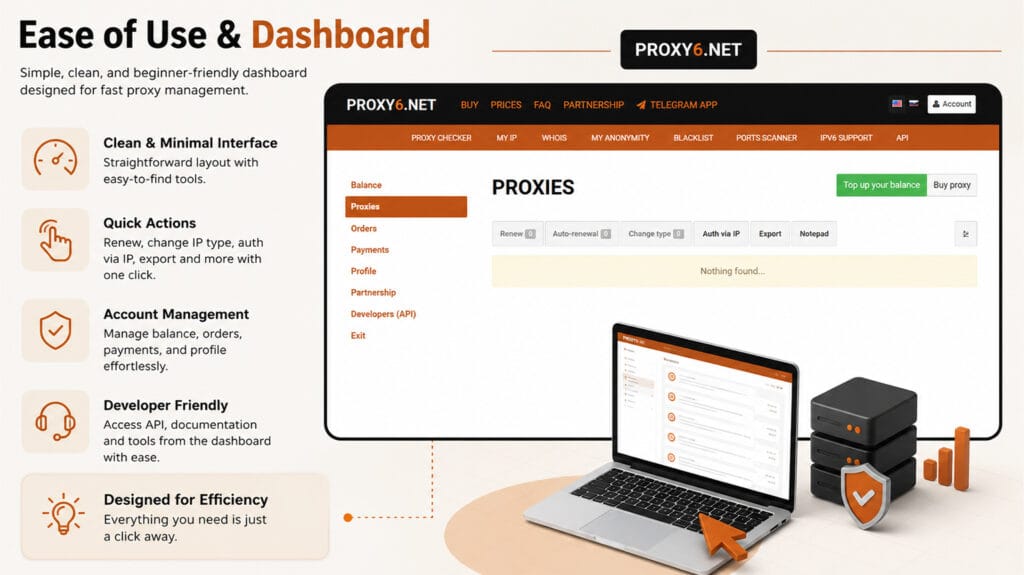
Proxy6 earns a 2.6 / 5 for Ease of Use & Dashboard. It is quick to use if you already understand proxies, and the purchase-to-use flow is simple enough for basic workflows.
The dashboard is functional, but it feels dated and technical. It focuses on tables, credentials, proxy status, and expiration details rather than guided onboarding, visual analytics, or modern dashboard polish.
Dashboard Design & Navigation
Proxy6 uses a simple, table-based dashboard. Core actions such as viewing proxies, copying credentials, checking status, and managing active proxies are accessible without much friction.
The interface is functional, but not modern. It lacks strong visual hierarchy, guided flows, contextual hints, tooltips, charts, and polished UX elements that would make it easier for beginners.
For experienced users, this is not a major problem. If you already know what proxy credentials, ports, authentication methods, and IP formats mean, Proxy6 is fairly quick to navigate.
For new users, the dashboard may feel basic and slightly technical. It gets the job done, but it does not guide users step by step like more beginner-friendly or enterprise-focused proxy platforms.
Core Actions
Proxy lists, credentials, status details, and account actions are easy to access once you understand proxy basics.
Simple Layout
The dashboard uses a basic table-based structure that keeps proxy information readable and straightforward.
Desktop Speed
The dashboard is lightweight and generally responsive on desktop, with no major lag in normal use.
Dated UX
The interface is functional, but it lacks the visual polish and guided structure found in premium proxy dashboards.
Missing Guidance
There are no guided onboarding flows, contextual tooltips, usage charts, or visual account summaries.
Setup & Onboarding
Proxy6 has a fast purchase-to-use experience. After buying proxies, credentials are available quickly, and users can copy the proxy details into browsers, bots, scraping tools, or automation software.
The setup process is simple if you already understand proxy formats, ports, authentication, and client configuration. For experienced users, Proxy6 can be ready to use within minutes.
The limitation is onboarding. Proxy6 does not provide a guided setup wizard, interactive checklist, or beginner-friendly configuration flow. It assumes users already know how to use proxy credentials correctly.
Overall, setup is fast and practical, but not very guided. Proxy6 is easy for technical users, while beginners may need extra trial and error.
- 1. Buy proxies: Choose the proxy type, country, quantity, and rental period.
- 2. Open the dashboard: Proxy credentials appear after purchase.
- 3. Copy credentials: Use the IP, port, username, password, or IP-auth format provided.
- 4. Add to your tool: Paste the proxy details into your browser, bot, scraper, or automation app.
- 5. Test the connection: Confirm that the proxy is active and routing traffic correctly.
- Setup note: The process is fast, but there is no guided onboarding wizard for beginners.
Documentation & Guides
Proxy6 provides basic documentation for setup and proxy usage. It covers the essentials, including proxy formats, authentication methods, and how to connect proxies inside supported tools or applications.
For experienced users, the documentation is enough to get started. The instructions are direct and practical, especially if you already understand IP authentication, username/password authentication, ports, and proxy protocols.
The limitation is depth. Proxy6 does not offer many beginner-focused walkthroughs, visual guides, troubleshooting flows, or use-case guides for scraping, SEO tools, browser setup, or bot automation.
Developer guidance is also basic. API references exist, but there are limited code examples, no official SDKs, and no detailed automation tutorials.
Overall, Proxy6 documentation is usable, but thin. It supports users who already know what they are doing, but beginners may need external guides or trial and error.
Real-Time Usage Monitoring
Proxy6 provides basic operational visibility inside the dashboard. Users can see active proxies, expiration dates, and proxy status, which is enough for simple day-to-day management.
One useful detail is that the dashboard can flag proxies that are down or under maintenance. Per-proxy ping testing is also helpful for quickly checking whether an IP is reachable and responsive.
However, Proxy6 does not offer advanced monitoring. There are no bandwidth analytics, usage charts, request logs, traffic history, error logs, or exportable reports.
This makes the dashboard practical for checking whether proxies are active, but weak for users who need detailed monitoring, debugging, reporting, or performance analysis.
- Active proxies: Visible inside the dashboard
- Expiration dates: Easy to check for each proxy
- Status flags: Down or maintenance-affected proxies may be highlighted
- Ping testing: Useful for quick per-proxy reachability checks
- No bandwidth analytics: No real-time or historical GB usage charts
- No request logs: No built-in traffic history, error logs, or session logs
- No reports: No exportable monitoring data for debugging or audits
Accessibility & Language Options
Proxy6 appears to be designed mainly for desktop use. The dashboard is usable on smaller screens, but it is not strongly optimized for mobile or tablet workflows.
The interface is also limited from a language perspective. Proxy6 does not offer a broad multilingual dashboard experience, which may make it less convenient for international users who prefer localized interfaces.
Accessibility support is basic. There are no visible accessibility settings, contrast modes, font-size controls, keyboard-navigation guidance, or accessibility documentation.
For experienced desktop users, this will not be a major issue. For beginners, mobile-first users, or teams needing a more accessible interface, Proxy6 feels limited compared with more polished proxy dashboards.
Ease of Use & Dashboard Score
Proxy6 is quick to use if you already understand proxies. The dashboard is functional, lightweight, and easy enough for basic proxy management, but it feels dated and lacks modern onboarding, visual analytics, and deeper monitoring tools.
- ✅ Fast purchase-to-use experience
- ✅ Proxy credentials appear quickly after purchase
- ✅ Simple copy-and-paste workflow for browsers, bots, and tools
- ✅ Active proxies, expiration dates, status flags, and ping checks are available
- ⚠️ Functional but dated table-based dashboard
- ⚠️ No onboarding wizard, tooltips, or guided setup flow
- ⚠️ Limited troubleshooting and beginner-focused documentation
- ⚠️ No bandwidth charts, usage logs, historical reports, or exportable monitoring data
- ⚠️ Desktop-first design with limited mobile optimization and accessibility support
Pricing & Value
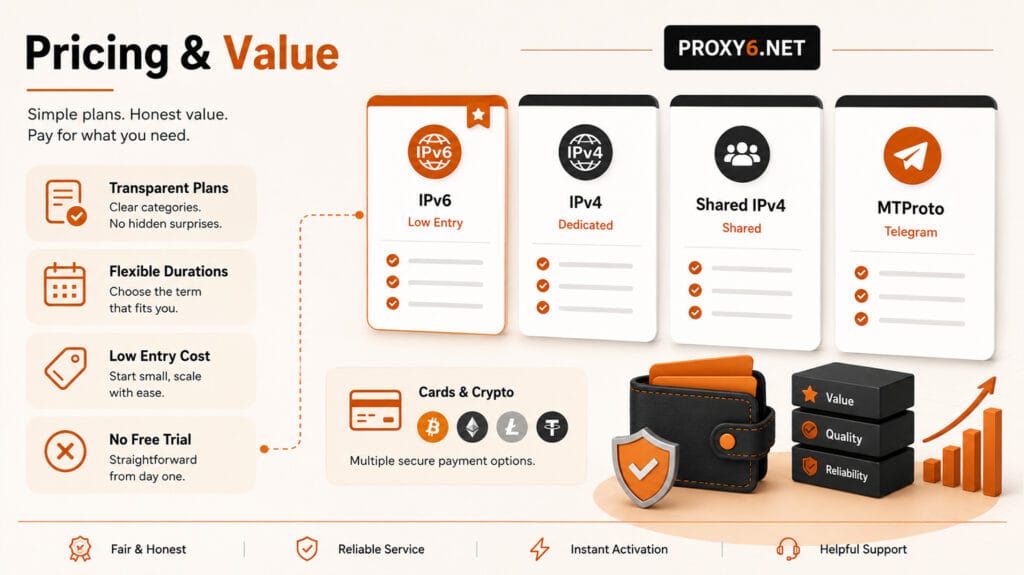
Proxy6 earns a 3.0 / 5 for Pricing & Value. This is one of its stronger areas, mainly because the service is cheap, easy to understand, and priced realistically for a basic datacenter proxy provider.
The trade-off is clear: Proxy6 is affordable because it does not include premium features such as residential proxies, mobile proxies, rotating gateways, advanced targeting, enterprise controls, or deep analytics.
Pricing Breakdown & Value for Money
Proxy6 is strongest for users who want low-cost static proxies without paying for advanced proxy infrastructure. Shared IPv4 proxies are especially budget-friendly, private IPv4 proxies remain affordable, and IPv6 plans have a very low entry price.
The pricing fits the feature set. Proxy6 is not a premium proxy network, but it offers fair value for basic automation, simple account workflows, and light proxy tasks where low cost matters more than advanced controls.
For users who only need cheap datacenter proxies, Proxy6 can be cost-effective. For users who need rotation, residential IPs, mobile IPs, or high-scale scraping support, the low price does not fully compensate for the missing features.
IPv4 Shared
From about $0.41 / month
Best for users who want the cheapest IPv4 option for simple tools, light automation, and low-cost testing.
IPv4 Private
From about $1.50 / month
Better for users who want cleaner dedicated access and more stable account-based workflows than shared IPv4.
IPv6
From about $0.26 / month
Very cheap entry option for sites and tools that support IPv6, but less universal than IPv4.
Proxy6 Discount Code:
Use coupon code
ZJlW2eL5nO
at checkout to get 5% off your Proxy6 order.
Coupon availability may change. Always confirm the discount is applied on the Proxy6 checkout page before completing your purchase.
Pricing Note: The prices shown in this section were checked at the time of review and may change based on region, currency, taxes, payment processor fees, discounts, or active promotions. Always confirm the final price on the Proxy6 checkout page before purchasing.
Plan Flexibility & Scaling
Proxy6 plans scale mainly by IP count and rental duration. This keeps pricing simple, predictable, and easy to understand before checkout.
The downside is that scaling is basic. Proxy6 does not offer bandwidth-based plans, residential tiers, mobile tiers, rotating pools, or mixed proxy packages. Users are mostly choosing how many static datacenter proxies they need and how long they want to keep them.
There is also no formal enterprise tier, custom SLA, team contract, or advanced scaling dashboard. Larger users may be able to buy more proxies, but the platform does not provide the flexible controls that agencies or high-volume scraping teams usually expect.
In practice, Proxy6 scales well enough for small and controlled workloads. It is less suitable for users who need elastic scaling, hybrid proxy types, usage-based billing, or enterprise-level account management.
IPv6 Proxy Plans
IPv6 plans offer the lowest entry pricing and scale through quantity-based discounts.
- Durations: 3 days, 1 week, 2 weeks, 1 month
- Scaling: Quantity bands from 1 to 500+ IPs
- Best for: Very low-cost testing where IPv6 is supported
IPv4 Private Proxy Plans
Private IPv4 plans cost more than shared IPv4, but provide cleaner dedicated access.
- Durations: 1 week, 2 weeks, 1 month, 2 months, 3 months
- Scaling: Standard pricing for 1 to 99 IPs, lower rate for 100+ IPs
- Best for: Account workflows and users needing more stable IP reputation
IPv4 Shared Proxy Plans
Shared IPv4 plans are the most budget-friendly IPv4 option, but reputation may vary more than private IPs.
- Durations: 1 week, 2 weeks, 1 month, 2 months, 3 months
- Scaling: Standard pricing for 1 to 99 IPs, lower rate for 100+ IPs
- Best for: Cheap IPv4 access, light automation, and basic testing
MTproto Proxy Plans
Proxy6 also lists MTproto proxy pricing, which is a more specialized option compared with standard HTTP, HTTPS, and SOCKS5 proxy plans.
- Durations: 1 week, 2 weeks, 1 month, 2 months, 3 months
- Scaling: Listed as available from 1 IP upward
- Best for: Users who specifically need MTproto proxy support
Scaling Note: Proxy6 pricing is simple and quantity-based, but scaling remains rigid. Plans mainly expand by IP count and rental duration, with no bandwidth-based billing, residential tiers, mobile tiers, enterprise contracts, or flexible mid-cycle upgrade controls.
Trial, Refund, or Low Entry Access
Proxy6 does not offer a free trial or public test proxy access. Users need to buy a plan before testing performance, IP quality, compatibility, or target-site behavior.
The low entry price helps reduce that risk. IPv6 plans can start from a short rental period, while IPv4 and IPv4 Shared proxies can be rented for short durations as well. This makes paid testing affordable, even though it is not free.
Refund protection is limited. Proxy6 describes a 1-day money-back policy, but it is conditional and mainly applies when the service has bugs or poor performance. The FAQ also notes that refunds do not apply to IPv4 Shared proxies.
Overall, Proxy6 is easy to test cheaply, but not risk-free. Users should start with a small order, test their target sites quickly, and avoid assuming a broad money-back guarantee.
- No free trial: Proxy6 does not provide public free test proxy access
- Low-cost testing: Short rental periods and low entry prices make small paid tests affordable
- Refund window: Proxy6 describes a 1-day money-back policy, but only under limited conditions
- Refund limits: Refunds generally apply only for bugs, non-working service, or poor service performance after support review
- IPv4 Shared: Proxy6 states there is no refund for IPv4 Shared proxies
Best practice: Start with the smallest suitable plan, test your target sites quickly, and confirm the refund terms before placing a larger order.
Pricing Transparency & Hidden Fees
Proxy6 is fairly transparent with its pricing. Plan tables are visible before purchase, and users can compare proxy type, duration, and quantity without needing to contact sales.
The billing model is also simple. Proxy6 sells proxies based mainly on IP count and rental period, so there are no obvious bandwidth overage traps or complex usage-based billing surprises.
That said, final checkout pricing can still vary. Regional taxes, currency conversion, payment processor fees, discounts, or active promotions may affect the final amount shown before payment.
In general, users receive the IP count and rental duration they purchase. The main value trade-off is not hidden pricing, but limited features. Proxy6 is cheap because it is a basic datacenter proxy service, not a full premium proxy platform.
Payment Methods
Proxy6 supports several payment methods, including bank cards, cryptocurrency, Robokassa, and WebMoney. This gives the service decent payment flexibility, especially for users who prefer crypto or regional payment gateways.
The payment mix is practical for a budget proxy provider. Crypto support helps users in more regions access the service, while card payments make checkout familiar for many buyers.
However, payment access is not friction-free globally. Card processing may vary by region, Robokassa and WebMoney are more region-specific, and Proxy6 does not appear to offer PayPal as a standard checkout option.
Overall, Proxy6 offers good payment variety for its price range, but it is not as universally convenient as providers that support PayPal, Apple Pay, Google Pay, or broader international billing options.
Cards
Card payments are supported, giving many users a familiar checkout option.
Crypto
Cryptocurrency support improves access for users who prefer alternative or cross-border payments.
Robokassa
Robokassa adds regional payment flexibility, especially for users familiar with CIS-region payment systems.
 WebMoney
 WebMoney
WebMoney support is useful for some regional buyers, but less universal than mainstream global wallets.
Pricing Value Snapshot
Proxy6 offers strong affordability for basic datacenter proxy needs, but the value score is limited by missing premium features such as rotation, residential IPs, mobile proxies, enterprise plans, and flexible scaling.
Pricing & Value Score
Proxy6 is one of the more affordable proxy providers for basic datacenter proxy needs. Its pricing is clear, low-cost, and well matched to simple use cases, but the value is limited by missing premium features such as rotation, residential proxies, mobile proxies, flexible scaling, and enterprise controls.
- ✅ Low-cost shared IPv4 proxy options
- ✅ Affordable private IPv4 plans for cleaner dedicated access
- ✅ Very cheap IPv6 entry pricing for compatible use cases
- ✅ Visible pricing tables with no major hidden billing pattern
- ✅ No bandwidth overage traps because plans are mainly IP and duration based
- ✅ Supports cards, crypto, Robokassa, and WebMoney
- ⚠️ No free trial or public test proxy access
- ⚠️ Refunds are limited and conditional, not a broad money-back guarantee
- ⚠️ Scaling is simple but rigid, with no residential, mobile, bandwidth-based, or enterprise tiers
- ⚠️ No PayPal or some mainstream global wallet options
Support & Documentation
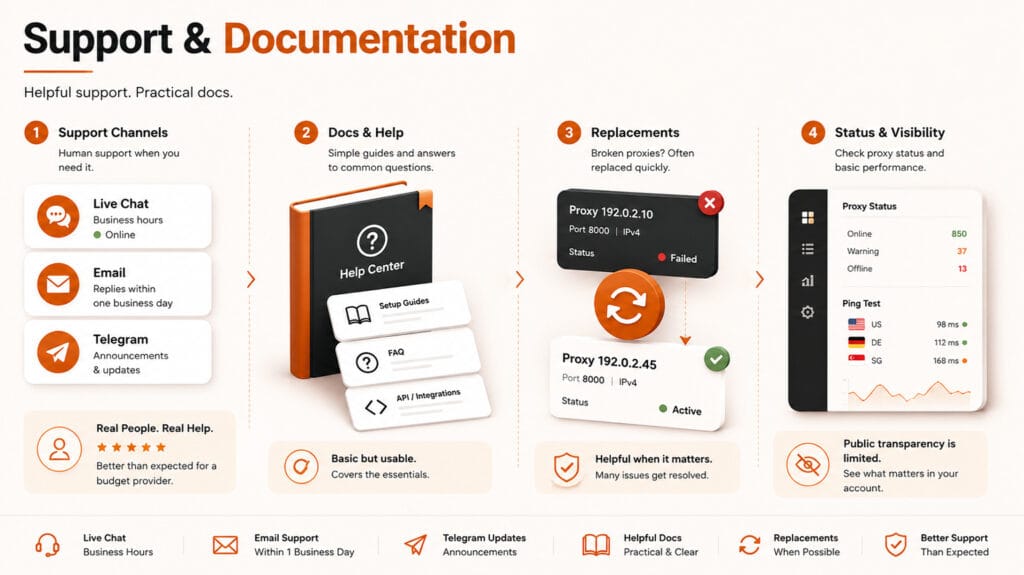
Proxy6 earns a 3.2 / 5 for Support & Documentation. This is better than expected for a budget proxy provider, mainly because it offers email support, business-hours live chat, and practical help for common proxy issues.
The main limitation is depth. Support can be useful for basic problems, but Proxy6 does not provide enterprise SLAs, deep technical troubleshooting, a public status page, or a rich documentation hub.
Support Channels
Proxy6 provides the basic support channels most users would expect. Email support is available, and the website also points users toward online chat for technical or account-related questions.
Live chat is a useful advantage for a budget provider, especially during working hours. It gives users a faster way to ask about broken proxies, connection issues, account problems, or replacement requests.
Proxy6 also maintains a Telegram channel, but this appears to be mainly for announcements rather than interactive support. It is useful for updates, but it does not replace a proper community forum or ticketing system.
There is no Discord, Slack workspace, interactive forum, or enterprise SLA. Overall, the support channel mix is practical for individual users and small proxy buyers, but limited for teams that need formal escalation or guaranteed response times.
Email Support
Available for account questions, proxy issues, replacement requests, and general support.
Live Chat
Available during business hours, useful for faster help with common proxy problems.
Telegram Channel
Useful for announcements and updates, but not a full interactive support community.
Business-Hours Support
Support can be responsive when online, but it is not positioned as 24/7 live assistance.
No Community Forum
No Discord, Slack, or public forum for peer troubleshooting or open discussion.
No Enterprise SLA
No formal SLA, priority queue, or dedicated enterprise escalation path is publicly offered.
Response Time & Helpfulness
Proxy6 support is better than expected for a budget proxy provider. Live chat can respond quickly during business hours, and email support usually provides a practical route for common account or proxy issues.
The support experience feels human and direct rather than fully automated. This is useful when users need help with unavailable proxies, access issues, replacement requests, or basic configuration problems.
That said, support depth is still limited. Proxy6 can help with common issues, but it does not provide enterprise-grade troubleshooting, dedicated technical engineers, formal escalation paths, or guaranteed response times.
In practice, Proxy6 support is good for everyday proxy problems. It is less suitable for advanced debugging, large-scale infrastructure planning, or mission-critical workflows that require SLA-backed support.
- Live chat: Can respond quickly during business hours
- Email support: Useful for account, access, and proxy-related issues
- Helpfulness: Practical for common problems and replacement requests
- Depth: Limited for advanced technical debugging
- No SLA: Response times are not publicly guaranteed
Best interpretation: Proxy6 support is strong for a budget provider, but it should not be treated as enterprise-grade technical support.
Proxy Replacement Experience
Proxy6’s replacement handling is one of its more practical support strengths. If a proxy becomes unavailable, broken, or affected by maintenance, users can often contact support and request a replacement.
This matters because budget datacenter proxies can occasionally run into availability, reputation, or connectivity problems. Having a practical replacement path makes the service easier to tolerate for long-term bot use, basic automation, and small-scale proxy tasks.
In our experience, support has provided free replacements for broken proxies, which improves trust in the service. However, this should be treated as observed support behavior, not a formal SLA or guaranteed replacement promise for every case.
Overall, Proxy6 does better than many budget providers in this area. The replacement process is not enterprise-grade, but it is useful, human, and practical when individual proxies fail.
Knowledge Base & Setup Docs
Proxy6 provides basic documentation for common setup needs. It covers the essentials, including proxy formats, authentication, and general connection setup for users who already understand how proxies work.
This is enough for simple onboarding. Users can usually find the information needed to copy credentials, configure HTTP, HTTPS, or SOCKS5 proxies, and start using them inside browsers, scripts, bots, or automation tools.
The limitation is depth. Proxy6 does not provide a rich knowledge base with detailed troubleshooting flows, advanced debugging guides, use-case tutorials, or deep examples for scraping, SEO tools, account management, or developer workflows.
Overall, the documentation is functional but basic. It supports experienced users well enough, but beginners may still need external guides or support help when something goes wrong.
Status Visibility and Public Updates
Proxy6 provides some useful status visibility inside the dashboard. Affected proxies can be highlighted when they are down or under maintenance, which helps users identify problems without guessing.
The per-proxy ping test is also helpful. It gives users a quick way to check whether a specific proxy is reachable and responsive before assuming the issue is caused by their script, browser, or target website.
The limitation is public transparency. Proxy6 does not provide a public status page, historical incident log, uptime dashboard, public changelog, or roadmap. Telegram is useful for announcements, but it is not a full status hub or interactive community channel.
Overall, Proxy6 gives users practical dashboard-level visibility, but public transparency remains basic compared with more mature proxy providers.
- Dashboard status: Affected proxies can be marked when down or under maintenance
- Ping testing: Users can test individual proxy responsiveness from the dashboard
- Telegram updates: Useful for announcements and service-related notices
- No public status page: No external uptime dashboard or live incident page
- No incident history: No public archive of outages, maintenance, or resolved issues
- No changelog or roadmap: Product updates are not tracked in a structured public format
Best interpretation: Proxy6 has useful internal status visibility, but its public transparency is still limited.
Support & Documentation Score
Proxy6 performs better than expected for a budget proxy provider. It offers practical support through email and business-hours live chat, with useful help for common proxy issues and replacement requests. Documentation and public transparency remain basic, but support access is stronger than many low-cost alternatives.
- ✅ Email or ticket-based support is available
- ✅ Live chat is available during business hours
- ✅ Telegram channel provides announcements and updates
- ✅ Support can be helpful for broken or unavailable proxies
- ✅ Dashboard can highlight down or maintenance-affected proxies
- ✅ Per-proxy ping testing helps users check proxy status quickly
- ⚠️ No 24/7 live chat or enterprise SLA
- ⚠️ Documentation covers basic setup, but lacks advanced troubleshooting
- ⚠️ Telegram is announcement-focused, not an interactive support community
- ⚠️ No public status page, incident history, changelog, or roadmap
Who Should and Shouldn’t Use Proxy6?
Proxy6 is best suited for users who want a low-cost datacenter proxy service for simple, controlled workloads. It makes the most sense when you need affordable static IPs, SOCKS5 support, and quick access to proxies without paying for enterprise-grade features.
It is less suitable for users who need advanced targeting, rotating residential IPs, mobile proxies, large-scale scraping infrastructure, or strong privacy transparency. Proxy6 is practical and budget-friendly, but it should not be treated as a full-scale proxy platform.
Who Should Use Proxy6?
Proxy6 is a good fit for users who need affordable static datacenter proxies for simple, non-critical tasks.
- Budget-conscious proxy users
- Light scraping on low to medium protection targets
- Simple automation and bot workflows
- Tasks that need stable long-lived IPs
- Users needing cheap SOCKS5 support
- Developers who can manage retries manually
- Non-critical workloads where occasional maintenance is acceptable
Who Should Avoid Proxy6?
Proxy6 is not the best choice for advanced proxy workflows that depend on scale, rotation, deep targeting, or privacy guarantees.
- Enterprise data teams needing SLAs or team controls
- Large-scale scraping and high-concurrency workloads
- Residential proxy use cases
- Mobile proxy or carrier-based workflows
- Strict anti-bot targets with heavy CAPTCHA risk
- Users needing city, ZIP, ASN, ISP, or carrier targeting
- Privacy-sensitive users looking for a clear no-logs provider
- Beginners who need guided onboarding and rich tutorials
Quick Fit Verdict: Proxy6 is best understood as a cheap, practical datacenter proxy seller. Choose it when budget matters more than targeting depth, rotation, advanced privacy, or enterprise controls.
Pros & Cons
Proxy6 has a clear value profile: it is affordable, easy to start with, and useful for basic datacenter proxy tasks, but it lacks the advanced proxy types, targeting depth, rotation controls, and enterprise features found in larger proxy platforms.
Pros
- Very affordable shared IPv4 pricing
- SOCKS5, HTTP, and HTTPS support
- MTProto proxy option for Telegram-only use
- Fast setup after purchase
- Dedicated/private IPv4 option available
- Built-in proxy tools for quick checks
- Dashboard shows proxy status
- Support can help replace broken proxies
- Functional API for basic automation
Cons
- Datacenter proxies only
- No rotating proxies or TTL controls
- No residential, ISP, or mobile proxies
- No city, ZIP, ASN, ISP, or carrier targeting
- No explicit no-logs policy
- Basic dashboard and documentation
- No advanced analytics or usage logs
- No team management or sub-user features
Final Verdict: Is Proxy6 Worth It?
Proxy6 is worth considering if you need cheap static datacenter proxies for light automation, simple scraping, or long-running bot tasks. It offers SOCKS5 support, fast setup, practical tools, and fair reliability for the price.
The main trade-off is depth. Proxy6 does not offer rotating proxies, residential IPs, mobile proxies, advanced targeting, enterprise controls, or strong privacy transparency. Choose it when budget matters more than rotation, targeting depth, and premium proxy infrastructure.

Proxy6 is a budget-friendly proxy service with SOCKS5 support and fair reliability for everyday automation and light scraping.
Choose Proxy6 If
- You want very low-cost shared IPv4 or IPv6 proxies
- You need SOCKS5, HTTP, or HTTPS support
- You run light automation or bot workloads
- You are comfortable managing retries yourself
- You value simple setup over advanced controls
Look Elsewhere If
- You need rotating residential proxies
- You need premium geo-targeting
- You need enterprise documentation, SLAs, or team controls
- You need a clear no-logs privacy model
- You need high success rates on strict anti-bot sites
Proxy Score Breakdown
Network Quality & Reach: 2.0 / 5
Performance & Reliability: 2.7 / 5
Security & Privacy: 2.8 / 5
Features & Flexibility: 2.9 / 5
Ease of Use & Dashboard: 2.6 / 5
Pricing & Value: 3.0 / 5
Support & Documentation: 3.2 / 5
Score Guide: 5.0 = Outstanding | 4.5 = Excellent | 4.0 = Great | 3.5 = Good | 2.5 = Average | 2.0 = Below Average | 1.0 = Poor
How we rate proxies: Each score is based on network quality, performance, proxy features, security and privacy, ease of use, pricing, support, documentation, and practical testing signals where available. We apply the same review framework across proxy providers for consistency.
Proxy6 Discount Code:
Use coupon code
ZJlW2eL5nO
at checkout to get 5% off your Proxy6 order.
Coupon availability may change. Always confirm the discount is applied on the Proxy6 checkout page before completing your purchase.
Frequently Asked Questions
Does Proxy6 support SOCKS5?
Yes. Proxy6 supports SOCKS5, along with HTTP and HTTPS proxy formats.
Is Proxy6 a residential proxy provider?
No. Proxy6 is a datacenter proxy provider. It does not offer residential, ISP, or mobile proxies.
Does Proxy6 offer rotating proxies?
No. Proxy6 proxies are static. They do not include automatic rotation, per-request rotation, timed rotation, or TTL controls.
Is Proxy6 good for scraping?
Proxy6 can work for light scraping and low to medium protection targets. However, it is not ideal for large-scale scraping, strict anti-bot platforms, or workflows that need automatic rotation and high success rates.
Does Proxy6 support MTProto proxies?
Yes. Proxy6 offers MTProto proxies for Telegram-only use. These are useful for Telegram connectivity, but they are not general-purpose proxies for normal web scraping, browser traffic, or non-Telegram automation.
Is Proxy6 good for bots?
Yes, Proxy6 can work for long-running bot workloads that need stable static IPs. It is a better fit for simple bots than for bots that require frequent IP changes, residential identities, or mobile proxy behavior.
Does Proxy6 have a free trial?
No. Proxy6 does not offer a free trial. However, its low entry pricing makes small-scale paid testing relatively inexpensive.
Is Proxy6 private or no-logs?
Proxy6 should not be treated as a privacy-first or verified no-logs provider. It does not publish a clear explicit no-logs policy, so privacy-sensitive users should be cautious.
Who is Proxy6 best for?
Proxy6 is best for budget users, light automation, simple scraping, long-running bot tasks, and users who need affordable SOCKS5 datacenter proxies.

Ash Sh.
Senior Research Strategist & Editor
I’m the senior research strategist and editor at VPNProxySolutions.com, where I focus on analyzing VPNs, proxy networks along with various online privacy technologies. With over seven years of experience in cybersecurity research, I’ve developed a structured approach to evaluating providers based on documentation, independent audits, public benchmarks and real-world use cases. My goal is to make complex digital privacy tools easier to understand, whether you’re comparing services, troubleshooting connections or just learning how anonymity works in practice.
About us