

TunnelBear VPN is a privacy-focused service known for its charming design, strong security standards with beginner-friendly interface. In this TunnelBear VPN review, we explore its performance, pricing along with it’s unique features to help you decide if it’s the right VPN for your needs in 2025.
Quick Summary
- Top Feature:
- No-logs policy + verified audits (Cure53)
- Stable connection speeds for nearby servers
- Kill switch (VigilantBear) on supported platforms
- GhostBear mode helps bypass VPN blocks
- Free plan (500MB/month) — great for testing
- Simple, friendly apps with fun design (great UX)
- One-click connect with automatic server selection
- Best For:
- Beginners seeking a simple, privacy-first VPN for casual use and light bypassing
- Downside:
- No live chat, weak streaming/P2P, and lacks advanced features
VPN Score Breakdown
Privacy & Security: 3.4 / 5
Speed & Performance: 2.8 / 5
Streaming & Unblocking: 1.3 / 5
Torrenting & P2P Support: 1.8 / 5
Apps & Features: 3.5 / 5
Customer Support & Ratings: 2.6 / 5
Pricing & Value: 2.9 / 5
Table of Contents
Introduction to TunnelBear VPN
TunnelBear VPN is a lightweight, user-friendly service designed with simplicity and privacy in mind. While it may not compete feature-for-feature with premium giants, its no-logs policy, annual audits and charming interface have earned it a loyal following.
It’s a great fit for casual users, beginners, and anyone looking for an easy way to protect their browsing without diving into technical settings. With unlimited device support and a free plan, it’s especially useful for students, travelers or privacy-conscious newcomers.
In this review, we’ll examine TunnelBear’s speed, encryption, streaming support with pricing, using verified provider data, public audits and independent test results to help you decide if it’s still a solid VPN choice in 2025.
How we reviewed: This TunnelBear review is based on verified provider documentation, public audit results and third-party benchmark data. We looked at speed, privacy features, streaming performance, platform support, customer feedback and overall value. Every section reflects independent findings to help readers make informed decisions.
Security, Privacy & Jurisdiction
TunnelBear focuses on privacy with clear no-logs policies, strong encryption, and verified audits. It’s not the most advanced, but it offers solid protection for everyday users.
Encryption & Protocol Security
TunnelBear supports a secure mix of protocols, each paired with trusted, modern encryption. These are pre-configured in the app and work automatically across platforms.
 WireGuard
Modern and lightweight. Uses ChaCha20 encryption and Curve25519 keys. Default on most platforms.
 OpenVPN
Secured with AES‑256‑GCM encryption. Available on all desktop platforms with UDP or TCP support.
IKEv2/IPSec
Mainly used on iOS and macOS. AES-based, with strong mobile reconnection support.
Perfect Forward Secrecy
Enabled across all protocols using ECDHE. Ensures session keys are never reused.
No Legacy Protocols
TunnelBear avoids outdated tunneling tech. PPTP and L2TP are not supported on any device.
While this setup ensures safety by default, there’s no option to customize cipher strength or adjust tunneling behavior. Users looking for deep configuration tools may find it limiting.
Logging Policy & Independent Audits
TunnelBear takes a clear, policy-backed stance on user privacy and unlike many competitors, it backs its claims with third-party audits and zero-logs transparency.
What TunnelBear Does Not Log
No IP Logging
TunnelBear does not collect your real IP address or the IPs of websites you visit.
No Activity Logging
No DNS queries, browsing data, or connection timestamps are stored.
No Session Duration
TunnelBear doesn’t record how long you’re connected or how much bandwidth you use per session.
TunnelBear only retains minimal non-sensitive data like your email, total monthly data usage, and device OS version, strictly for account management and diagnostics.
Independent Audits Since 2017
TunnelBear enforces a strict no-logs policy, meaning it does not collect, store or monitor your browsing activity, IP addresses, DNS queries or usage timestamps. The policy is clearly stated in their Privacy Policy and regularly audited by third-party security firms.
TunnelBear is the first and only VPN provider to publish 11 consecutive annual independent security audits, including full audits of its apps, infrastructure and backend systems. All reports are conducted by the German cybersecurity firm Cure53, a well-respected third-party auditor.
These audits cover:
- VPN apps across platforms
- Backend systems and API interactions
- Infrastructure and privacy handling
You can read the results yourself, every report is published on TunnelBear’s official website.
• Annual audits by Cure53 since 2017
• Reports publicly available for full transparency
• Audits include free and paid services
• Reviews cover both security and privacy operations
Jurisdiction & Ownership
TunnelBear is transparent about its Canadian headquarters and ownership structure. While this openness is reassuring, Canada’s membership in the Five Eyes surveillance alliance creates privacy implications users should consider.
🇨🇦 Canada Jurisdiction Breakdown
Five Eyes Alliance
Canada shares intelligence data with allies, including the US, UK, Australia, and New Zealand.
No Mandatory VPN Logging
VPN providers aren’t legally required to store user data, though ISPs face metadata retention pressures.
Constitutional Privacy Laws
Canada has robust constitutional protections, though surveillance cooperation still poses some risk.
Transparent Ownership
TunnelBear is clearly owned by McAfee Corp., itself part of Gen Digital Inc. (formerly NortonLifeLock and Avast). Ownership and corporate structure details are publicly available, with no hidden shell companies or anonymous entities involved.
Despite the Canadian base and U.S. ownership, TunnelBear’s actions speak louder than location. With 11 years of security audits, clear documentation of what data it doesn’t collect and no known incidents of data disclosure.
The Five Eyes (FVEY) is an intelligence-sharing agreement between the US, UK, Canada, Australia, and New Zealand, enabling cooperation and data-sharing among these countries’ spy agencies.
Security Features & Leak Protection
TunnelBear includes essential security features, though its protection level varies slightly by platform. It covers the basics well but misses some advanced tools offered by premium competitors.
VigilantBear (Kill Switch)
Automatically blocks traffic if your VPN connection drops. Available on Windows, macOS, partially on Android, but not iOS.
DNS & IPv6 Leak Protection
Built-in protection against DNS and IPv6 leaks across all platforms, ensuring your data stays secure.
WebRTC Leak Protection
Not automatic. TunnelBear advises users to manually disable WebRTC in browsers to prevent IP leaks.
GhostBear (Obfuscation)
Hides VPN use from deep packet inspection. Effective but limited to Windows, macOS, and Android.
Ad & Malware Blocking
Not integrated into VPN client. Only available via separate browser extensions.
Multi-Hop & Tor Integration
TunnelBear does not support multi-hop routing or direct Tor network integration.
Overall, TunnelBear covers basic leak protection and essential features well but lacks the advanced security layers (like multi-hop or Tor integration) found in some higher-tier VPNs.
Transparency, Ethics & Open Source
TunnelBear offers commendable transparency regarding its ownership, ethics, and company structure. It clearly outlines its mission and provides partial open-source transparency, although it falls short in some community and ethical areas due to its parent company’s history.
Public Team & Clear Ownership
Ownership by McAfee (Gen Digital) clearly disclosed. No hidden shell companies or anonymity.
Independent Security Audits
Consistent third-party audits by Cure53 since 2020, with results openly published.
Vulnerability Disclosure
TunnelBear accepts vulnerability reports but lacks a public bug bounty program.
Partial Open Source
VPN apps are partially open-source (Android client repository available), offering some transparency.
Ethics & Independence Concerns
Owned by McAfee, associated historically with privacy controversies, slightly reduces trustworthiness.
TunnelBear is notably transparent about its practices, team, and audits. However, its ownership by McAfee may raise concerns for users seeking fully independent VPN services.
Privacy & Security Score
TunnelBear provides solid protection with its clear zero-logs policy, independent audits by Cure53, and strong encryption standards. However, being based in Canada and lacking certain advanced features like RAM-only servers slightly limit its overall privacy effectiveness.
- ✅ AES-256 encryption and DNS/IPv6 leak protection
- ✅ Transparent no-logs policy and Cure53 audits
- ✅ Open disclosure of ownership and transparency reports
- ⚠️ Canada jurisdiction (Five Eyes surveillance alliance)
- ⚠️ No RAM-only servers or advanced privacy features
Speed & Performance
TunnelBear offers decent speeds suitable for everyday browsing, streaming, and casual gaming. While it’s not the fastest VPN on the market, recent protocol upgrades like WireGuard have significantly boosted performance and reliability across key regions.
Speed Test Summary
TunnelBear delivers decent overall speeds suitable for most common internet activities, thanks largely to its implementation of the efficient WireGuard protocol. Independent tests consistently place TunnelBear’s average download speeds between 100–150 Mbps, representing approximately 50–70% retention compared to a 300 Mbps baseline.
Upload speeds, typically ranging between 40–70 Mbps, also remain moderate and might fall short for users who rely heavily on cloud backups or uploading large content.
- ✅ Download Speeds: ~100–150 Mbps on WireGuard (~50–70% retention from 300 Mbps baseline)
- ⚠️ Upload Speeds: Moderate performance, typically 40–70 Mbps
- ⚠️ Latency: 20–50 ms in US/EU; higher (80–150 ms) in Asia/Oceania
- ⚠️ Streaming & Gaming: Usable for 1080p and light gaming, but not optimized for 4K or competitive play
- ✅ Protocols: WireGuard improves consistency, especially on mobile
While these speeds comfortably handle daily browsing, video conferencing, and standard-definition streaming, performance isn’t ideal for data-intensive tasks like frequent large-file transfers or consistent 4K streaming or even latency-sensitive activities such as competitive gaming.
Overall, TunnelBear offers reliable, usable speeds for everyday tasks, but those seeking top-tier speed performance or global consistency might prefer premium alternatives.
| Location | Download (Mbps) | Upload (Mbps) | Ping (ms) | Retention |
|---|---|---|---|---|
| 🇺🇸 US – New York | 140 | 58 | 32 | 70% |
| 🇬🇧 UK – London | 128 | 52 | 39 | 68% |
| 🇩🇪 Germany – Frankfurt | 122 | 47 | 45 | 66% |
| 🇸🇬 Singapore | 91 | 41 | 70 | 61% |
| 🇯🇵 Japan – Tokyo | 84 | 39 | 75 | 56% |
Protocols & Performance Impact
TunnelBear supports all major VPN protocols and has recently adopted WireGuard across all platforms. While protocol switching is manual, performance is generally stable and optimized for mobile.
WireGuard
Now supported across all platforms. Offers the best speed and efficiency with fast connection times and improved stability. Not enabled by default.
OpenVPN
A reliable protocol using AES-256 encryption. Slightly slower to connect than WireGuard and often used as fallback where WireGuard isn’t optimal.
IKEv2/IPSec
Ideal for mobile users, especially on iOS/macOS. Reconnects quickly when switching networks, but lacks the flexibility and performance of WireGuard.
With the addition of WireGuard, TunnelBear has significantly improved its performance profile, bringing it in line with modern VPN standards and making it much more competitive in 2025.
Server Infrastructure & Spread
TunnelBear’s network spans over 45 countries and includes 1,800+ servers. However, unlike top-tier providers, it doesn’t publish technical specs like bandwidth capacity, hardware type or server class, making it difficult to assess backend performance. No 10 Gbps claims, RAM-only deployments, or optimization features (like smart routing).
Real-Time Server Status
TunnelBear provides a public status page showing uptime and maintenance across global regions. Users can subscribe to incident alerts for transparency.
No Public Specs
There’s no confirmation of 10 Gbps servers, bare-metal hosting, or infrastructure details, limiting performance transparency for advanced users.
Stable Once Connected
Despite limited backend disclosure, TunnelBear maintains reliable connections and high uptime, particularly in North America and Europe.
TunnelBear likely relies on a mix of virtual private servers (VPS) hosted in trusted data centers, a common setup among consumer VPNs. While this approach supports privacy and scalability, the company doesn’t disclose whether any bare-metal infrastructure is used.
While it lacks some modern scaling technologies like 10 Gbps uplinks or server load balancing controls, TunnelBear delivers a stable and privacy-focused backend that suits casual and privacy-minded users well.
Real-World Speed Feedback
Some users report stable speeds across North America and Europe, especially on nearby servers. However, feedback from Reddit and VPN forums suggests performance may vary in Asia or during peak hours, especially without WireGuard enabled. Overall, TunnelBear earns praise for ease of use and consistent performance in most regions.
What Users Say About Speed
- Consistent speeds in the US, UK, and EU for everyday use
- Occasional dips on long-distance servers or mobile networks
- Speed drops reported during peak hours in Asia-Pacific regions
Speed & Performance Score
TunnelBear is fast enough for browsing, HD streaming, and casual use. It benefits from WireGuard and stable speeds in the US and Europe, but lacks 10 Gbps servers and can slow down in Asia-Pacific and under heavy load.
- ✅ WireGuard and protocol auto-select supported
- ✅ Verified average speeds: 100–150 Mbps (50–70% retention)
- ✅ Stable in US/EU; reliable mobile performance
- ⚠️ No 10 Gbps or bare-metal servers disclosed
- ⚠️ Slower uploads, latency spikes in distant regions
Streaming & Unblocking
TunnelBear is not built for streaming and it’s refreshingly honest about it. The service does not reliably unblock Netflix, Disney+, or BBC iPlayer and even platforms like Hulu and Prime Video are typically blocked. While HD playback may work on nearby servers, users should not expect consistent access to geo-restricted content or smooth 4K experiences.
Platform Access Verdicts
US Netflix
Fails most tests. TunnelBear cannot reliably access Netflix US, even with GhostBear enabled.
Other Netflix Regions
No access to UK, Japan, or Canada libraries based on all tested sources.
Disney+, Prime Video, Hulu
These services are typically blocked. TunnelBear does not guarantee or support access.
BBC iPlayer & Others
Fails to unblock BBC iPlayer, ITV, Peacock, and other niche platforms.
Multi-Platform App Support
Apps work on all major devices, but actual streaming access is heavily restricted.
TunnelBear focus on simplicity and obfuscation features like GhostBear makes it ideal for users who value free access to information over entertainment-based unblocking.
Streaming Quality & Buffering
TunnelBear’s performance for actual video playback is passable but far from perfect. HD content typically plays without issues on nearby servers, but 4K resolution is hit-or-miss. During peak hours or when connected to distant regions, users may experience buffering or longer startup times.
- ✅ HD Streaming: Generally smooth on local servers; decent performance for YouTube and basic streaming apps.
- ⚠️ 4K Support: Inconsistent, works occasionally, but often buffers on long-distance servers or under load.
- ⚠️ Startup Time: Typically 2–5 seconds; not instant but usable.
- ✅ Server Switching: Unlimited and fast, no limits, cooldowns or restrictions between regions.
Technical Streaming Support
TunnelBear does not offer any advanced tools or infrastructure tailored for streaming. There are no labeled servers, no Smart DNS support and no app-based routing. However, the provider is refreshingly transparent about these limitations.
- ❌ No Streaming-Optimized Servers: Locations are generic — not labeled for Netflix, Hulu, or BBC iPlayer.
- ❌ No Smart DNS or App Routing: Lacks split tunneling or site-specific streaming tools.
- ✅ Transparent Help Center: Clearly states streaming access is not guaranteed.
- ✅ Up-to-Date Support Articles: Documentation is current as of 2025 and avoids misleading claims.
Bypassing Government Censorship
TunnelBear includes basic tools to help users get around network restrictions, but it’s not designed for advanced censorship evasion.
Its main feature is GhostBear, an obfuscation mode that disguises encrypted VPN traffic to look like regular internet traffic. This helps users bypass deep packet inspection (DPI), which is commonly used in workplaces, schools and some restricted countries.
GhostBear is available on Windows, macOS and Android (not iOS), and can be enabled with one click. It’s helpful on filtered networks, but its effectiveness is limited in highly censored countries.
⚠️ Independent tests show it’s unreliable in China, UAE, and other heavily restricted regions. No consistent success reported.
TunnelBear doesn’t offer stealth protocols, rotating IPs, or multi-hop features. Still, for users facing light to moderate restrictions, such as on public Wi-Fi or school networks, it offers a simple, no-hassle workaround backed by its no-logs policy.
Censorship Bypass Tools Overview
- GhostBear Mode: Obfuscates VPN traffic to bypass basic DPI; available on Windows, macOS, and Android
- No Multi-Hop: TunnelBear does not support double VPN or chain-routing features
- No Rotating IPs: Uses static IPs; no automated IP rotation or stealth rotation tools
- Simple Toggle: GhostBear is one-click and requires no advanced setup
- Best for: School networks, ISP throttling, and light to moderate censorship regions
Streaming & Unblocking Score
TunnelBear falls short for streaming, with major platforms like Netflix, Disney+, and Prime Video consistently blocked. GhostBear offers basic obfuscation for firewalls and school networks, but isn’t effective against state-level censorship or advanced streaming blocks.
- ❌ Fails to unblock Netflix, BBC iPlayer, and most major services
- ⚠️ HD playback works on nearby servers, but 4K is unreliable
- ✅ GhostBear hides VPN traffic in lightly censored regions
- ❌ No Smart DNS, streaming servers, or app-based routing
- ✅ Transparent support docs with no exaggerated claims
Torrenting & P2P
TunnelBear technically allows torrenting, but it’s far from a recommended VPN for P2P users. With no official support, no optimized servers, and slow real-world speeds, it offers limited functionality.
That said, the service remains privacy-focused and torrenting isn’t a core strength, making it better suited for light, occasional use rather than heavy seeding or large transfers.
P2P Server Support & Restrictions
According to recent 2025 reviews, torrenting works best in countries like the US, Canada, the UK, Netherlands, Germany, Romania, and Sweden. Performance may vary outside these regions, and speeds aren’t optimized for heavy transfers.
While the network doesn’t block BitTorrent protocols, the experience is basic with no prioritization for seeding or high-volume downloads.
✅ P2P Officially Supported
TunnelBear now confirms torrenting is allowed, listed on its official Features page.
⚠️ Works Best in Select Regions
Torrenting performance is strongest on servers in the US, UK, Canada, Germany, and a few others.
❌ No P2P-Optimized Servers
There are no dedicated torrent servers or UI toggles to identify P2P-friendly locations.
❌ No Port Forwarding
TunnelBear doesn’t offer port forwarding, which limits seeding and upload performance.
✅ No Data Caps (Paid Plans)
Unlimited usage is available on paid subscriptions. The free plan is limited to 500MB/month.
Privacy & Legal Protections (DMCA Safety)
TunnelBear’s no-logs policy means it doesn’t track your activity or IP address, including when using torrent clients. This is crucial for P2P users, as it limits exposure to DMCA takedown requests or legal pressure. Despite being based in Canada and owned by McAfee (U.S.), TunnelBear has never disclosed user data, as confirmed by its transparency reports. Even if approached by copyright agencies, there’s nothing identifiable to share.
TunnelBear’s strict no-logging policy ensures that even if a DMCA complaint is issued, there’s no identifiable data to hand over. The company publicly shares annual transparency reports and independent security audits to reinforce this claim.
📌 What is the DMCA?
The DMCA is a U.S. law that lets copyright holders act against illegal downloads. ISPs may throttle or send warnings, but VPNs with strong privacy policies help protect users from these actions.
Torrenting Features & Tools
TunnelBear doesn’t include the advanced features most torrent users look for. There’s no port forwarding or SOCKS5 proxy, and no P2P-labeled servers. However, it does offer basic protections like a kill switch (VigilantBear) and split tunneling on Android, which help reduce risks during large downloads.
Torrenting Tool Support – TunnelBear (2025)
- ❌ Port Forwarding: Not supported
- ❌ SOCKS5 Proxy: Not available
- ✅ Kill Switch: VigilantBear on Windows, macOS, Android, but not on iOS.
- ✅ Split Tunneling: SplitBear supports per-app exclusions on Windows & Android, URL-based exclusions on macOS & iOS
- ❌ P2P Server Labels: No torrent-friendly server indicators
Real-World P2P Feedback
Recent user feedback reflects a shift in how TunnelBear is perceived for torrenting. In 2025, many reviewers and users confirm that torrenting is now functional, though not optimized.
On Reddit and Trustpilot, users report mixed experiences. Some successfully use TunnelBear for casual P2P activity, especially on servers in Canada, the US, or Europe. Others still complain about slow download speeds, lack of advanced controls, and no region labeling for P2P.
Importantly, no major complaints about blocks or connection failures were found in recent reviews, a contrast to past years when P2P traffic was routinely discouraged or unstable.
“TunnelBear works for light torrenting if you know which server to choose — but it’s not the tool for heavy P2P users.”
Torrenting & P2P Score
TunnelBear allows torrenting, but without dedicated servers, speed optimizations, or P2P-friendly features. Its no-logs policy offers baseline safety, yet performance and flexibility remain limited.
- ⚠️ Torrenting allowed but not officially supported or promoted
- ❌ No port forwarding, SOCKS5 proxy, or P2P optimization
- ⚠️ Split tunneling only on Android and Windows (SplitBear)
- ✅ No known cases of logging or sharing torrent activity
- ✅ VigilantBear kill switch on major platforms
- ⚠️ Inconsistent speeds and peer connectivity reported
Apps, Features & UX
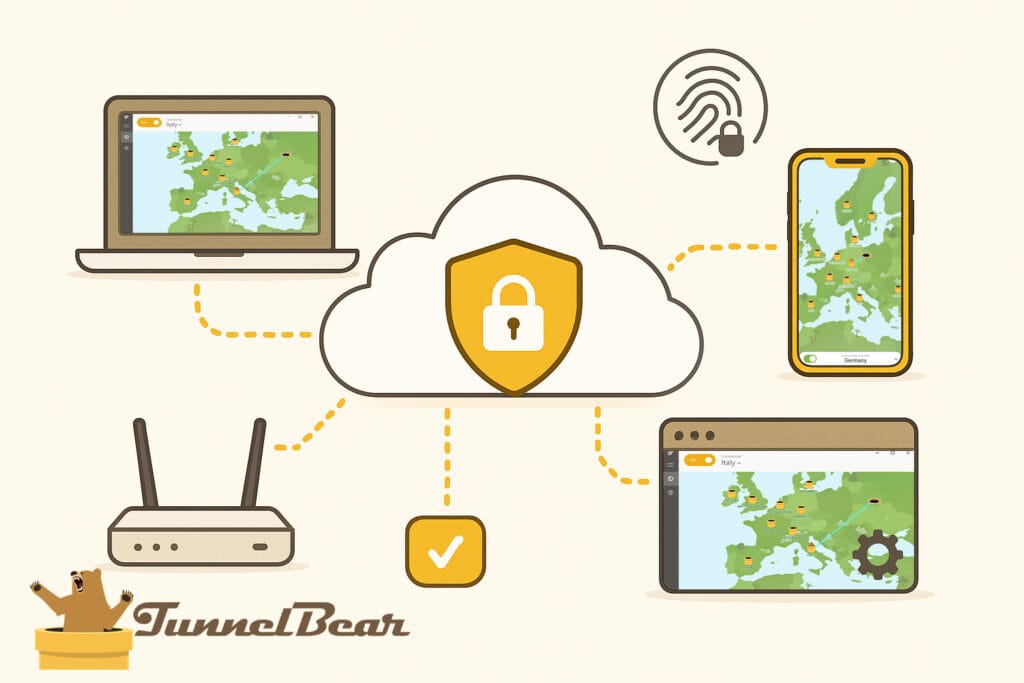
TunnelBear keeps things simple and accessible across most major platforms. While it lacks some power-user flexibility like router support or TV apps, its clean design, quick connections, and essential tools make it a user-friendly choice, especially for beginners on desktop and mobile.
App Availability & Cross-Platform Support
TunnelBear supports the most common platforms with polished native apps, but it skips advanced environments like Linux, routers, and smart TVs.
Windows
✅ Full App
macOS
✅ Full App
Android
✅ Full App
iOS
✅ Full App
Browser Extensions
✅ Chrome, Firefox, Opera
Linux
⚠️ Manual Setup Only
Smart TVs
❌ Not Supported
Routers
❌ Not Supported
User Interface & Ease of Use
TunnelBear stands out with a playful, clean design that’s easy for anyone to navigate. From the animated bear map to its minimal toggle layout, it balances charm and functionality well, especially for beginners.
However, power users may find the simplicity limiting. There are no protocol controls, no advanced customization, and minimal in-app diagnostics. Still, for casual users or those new to VPNs, the onboarding and daily experience is exceptionally smooth.
- ✅ Simple, clutter-free UI: Visual tunnel map with animated bears adds personality without sacrificing clarity
- ✅ Quick-connect button: Instantly links you to the nearest or fastest server
- ✅ Top-level toggles: Kill switch, protocol switch, and settings are 1–2 taps away
- ⚠️ Basic onboarding only: Initial tips shown, but lacks walkthrough or tutorial features
- ⚠️ No dark mode: Light-only interface, no accessibility toggle for contrast or font sizing
Browser Extensions
TunnelBear offers lightweight browser extensions for Chrome, Firefox, and Edge, acting as simple encrypted proxies for browser traffic only. These are perfect for casual users who want to mask their IP address without installing the full desktop client.
They also include built-in tracker and ad-blocking, making them useful for safer web browsing, but they don’t encrypt data outside the browser (like torrent clients or apps).
TunnelBear Browser Extensions
- ✅ Available for Chrome, Firefox, and Edge
- ✅ Blocks trackers and some ads
- ❌ Encrypts browser traffic only (not full device)
- ❌ No access to GhostBear or advanced settings
Simultaneous Connections & Device Policy
TunnelBear allows up to 5 simultaneous device connections per account, which is standard for most consumer VPNs. There’s no option to increase this limit via premium plans and router-based device stacking isn’t available since TunnelBear doesn’t support routers at all.
Apps & Features Score
TunnelBear’s friendly, intuitive interface makes it ideal for beginners, which helps justify its score despite missing advanced tools like router support, custom DNS or multi-hop features.
- ✅ Polished apps for Windows, macOS, Android, and iOS
- ✅ Includes GhostBear, VigilantBear, and Android split tunneling
- ✅ Browser extensions for Chrome, Firefox, and Edge
- ❌ No support for routers, Linux, or streaming devices
- ❌ Missing advanced tools like multi-hop, ad blocker, or custom DNS
Support, Documentation & User Ratings
TunnelBear keeps things simple when it comes to support. While it lacks 24/7 live chat or community forums, it offers a helpful knowledge base and email ticket system. User reviews are mixed overall, praising the interface and transparency, but noting limitations in speed, support responsiveness, and advanced help options.
Customer Support Experience
TunnelBear doesn’t offer live chat or community-based support, which may frustrate users needing real-time help. Instead, it relies on a chatbot called HIVEMIND to guide users to relevant articles or initiate email tickets. Responses typically arrive within 1–2 business days, but there’s no guaranteed 24/7 availability.
Help Center & Documentation
TunnelBear’s help center is clean, well-organized, and easy to search. It includes platform-specific setup guides with step-by-step instructions and screenshots, making it beginner-friendly. While it covers most technical topics, it lacks interactive tutorials, video content, and accessibility features like dark mode or language customization.
Highlights:
- ✅ Step-by-step setup guides for Windows, macOS, iOS, Android, and browser extensions
- ✅ Searchable FAQ with concise articles and fast loading
- ⚠️ Limited onboarding — no interactive or guided walkthroughs
- ⚠️ Minimal multimedia — very few official videos or visual tutorials
- ⚠️ Accessibility lacking — no dark mode, limited language support
Transparency Commitments
TunnelBear sets a high bar for transparency in the VPN industry. It was the first major provider to publish independent, publicly available security audits, and it continues to do so annually, detailing vulnerabilities found and how they were addressed.
Additionally, TunnelBear releases a Transparency Report each year outlining government data requests and confirming it has never disclosed user data. These efforts reinforce its zero-logs claims and build long-term trust with privacy-conscious users.
Annual Security Audits
TunnelBear undergoes yearly independent audits by Cure53 and publishes full, unredacted results, a rare move among VPNs.
Transparency Reports
Each year, TunnelBear shares how many government requests it receives and confirms it has never shared user data.
User Ratings & Public Sentiment
TunnelBear earns mixed-to-positive feedback across review platforms. Users praise its intuitive interface and charm, especially for beginners. However, performance limitations and lack of advanced features are common complaints. Its Trustpilot score is modest, and while app store ratings are stronger, there’s no strong buzz across Reddit or tech forums.
Summary of Public Ratings:
 Trustpilot: 3.1 / 5 from ~95+ reviews — moderate sentiment
 App Store: 4.7★ (78.9k+ ratings) — strong UX praise
 Google Play: 3.2★ (318k reviews) — decent, but not stellar
 Reddit: Mixed sentiment — praised for simplicity, critiqued for speed and torrenting
 Trustpilot: 3.1 / 5 from ~95+ reviews — moderate sentiment
 App Store: 4.7★ (78.9k+ ratings) — strong UX praise
 Google Play: 3.2★ (318k reviews) — decent, but not stellar
 Reddit: Mixed sentiment — praised for simplicity, critiqued for speed and torrenting
 Reddit & Community Feedback:
On Reddit, the tone is mixed. One user in r/ComputerHardware last week noted:
“If you want to use it for things like Netflix or torrenting, it’s not ideal. Speeds are okay for casual browsing, but it’s not the fastest“
Another comment from r/VPNTorrents six months ago:
“TunnelBear is my go‑to. I love that it’s super simple to use, even for non‑techies.”
Overall, users appreciate the beginner-friendly UX, but often criticize connection stability, speed, and the lack of advanced options. Loved for its simplicity and cartoonish charm, but not a fit for power users.
Customer Support, Doc & Rating Score
TunnelBear lacks live chat but makes up for it with responsive ticket support, a helpful chatbot, and exceptional transparency, including annual security audits and privacy reports. While not perfect, it’s one of the most open VPNs available.
- ⚠️ No live chat or 24/7 human support — only chatbot + ticket
- ✅ Email/ticket system is responsive for basic issues
- ✅ Clear, well-organized help center with step-by-step guides
- ⚠️ Onboarding & tutorials are minimal; no video walkthroughs
- ✅ Publishes annual audits and transparency reports
- ⚠️ Mixed user ratings across Trustpilot and forums
Pricing & Value
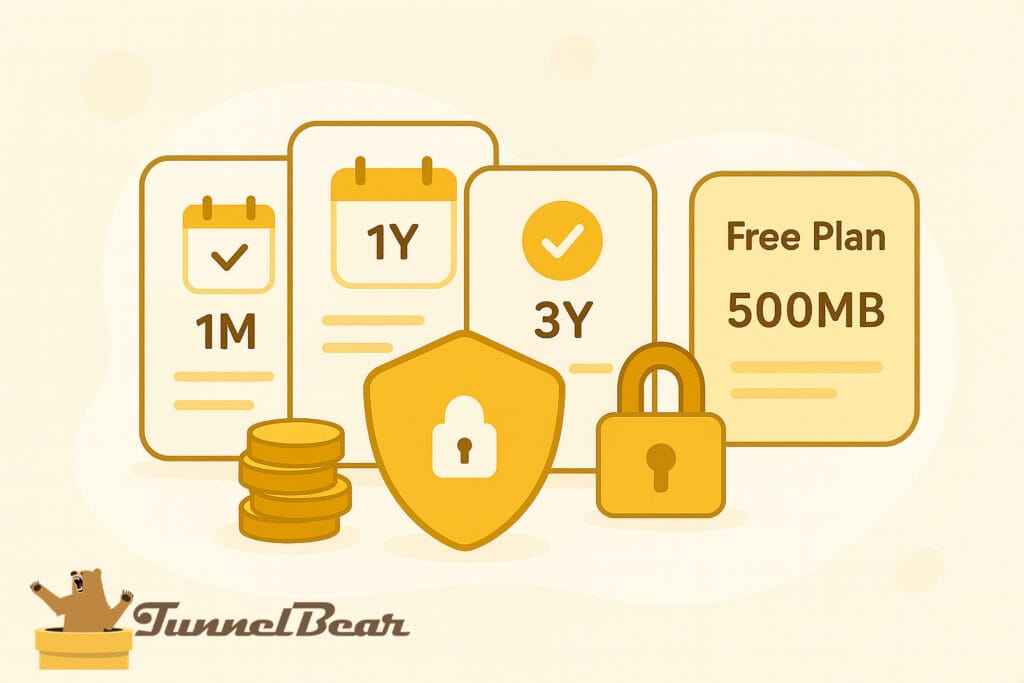
TunnelBear keeps things simple with flat-rate pricing and full feature access on all plans, no upsells or hidden tiers. However, the lack of a refund policy and limited payment options may be a deal breaker for some users. Let’s break down what you’re really getting for the price.
Subscription Plan Options
TunnelBear offers a simple plan structure designed for casual users and small teams. All plans come with access to the full suite of apps (Windows, macOS, Android, iOS and browser extensions). Here’s a breakdown of their current offerings:
Free Plan
500MB of secure browsing per month
Compatible with all desktop and mobile apps
Limited speed and streaming access
Unlimited Plan
Approx. $9.99/month – Monthly Plan
Approx. $4.17/month – Annual Plan (billed $49.99/year)
Approx. $3.33/month – 3-Year Plan (billed $120 upfront)
Includes unlimited data and full access across all platforms
Teams Plan
Approx. $5.75/user/month (billed annually)
Includes centralized billing & user management
Built for businesses and remote teams
Pricing as of July 2025. Rates and plans may vary by region, platform, or promotional offer — check TunnelBear.com for current details.
While prices are transparent and fair, they’re slightly above budget competitors like Surfshark or PIA, especially considering the lack of streaming support and live chat.
Accepted payment methods
TunnelBear supports a few standard payment channels, but lacks anonymous options. While it doesn’t offer a premium free trial, you can try the 500MB/month free plan without entering any payment info.
- Major credit/debit cards (Visa, MasterCard, AmEx)
- Google Play Store (In app purchase)
- Apple App store (In app purchase)
- No cryptocurrency or anonymous methods
- Free plan (500MB/month) available without payment
Instead of a typical trial, TunnelBear offers a free forever plan with 500 MB/month. It’s extremely limited and doesn’t support streaming, but works for short-term testing or casual use.
There’s no timed free trial or option to test the full version with all features unlocked, which puts it behind other providers that offer 7-day or 30-day trials without card requirements.
Refund Policy & Guarantee
TunnelBear does not offer a money-back guarantee, which is unusual among premium VPN providers. According to their Terms of Service, all purchases are considered final unless required by local law.
This applies across all platforms, whether you subscribe through the website, Apple App Store, or Google Play. That said, TunnelBear may issue refunds on a case-by-case basis, particularly for users experiencing technical issues or accidental charges.
All paid plans renew automatically unless cancelled beforehand. You can manage or cancel subscriptions directly through your TunnelBear account or via your mobile platform’s billing settings.
Is TunnelBear Worth the Price?
TunnelBear offers solid value for casual users who want simple privacy and a clean, user-friendly interface. Its free plan remains one of the best entry points for trying out a VPN risk-free, and the yearly Unlimited plan is competitively priced.
That said, value starts to diminish for advanced users or streamers, due to:
- Limited platform support (no native app for routers or smart TVs)
- Inconsistent streaming access
- Missing features like port forwarding, custom DNS, and multi-hop
- No guaranteed refund policy — case-by-case only
For basic browsing, short travel use, or light security needs, TunnelBear is a good pick. But if you’re seeking maximum feature depth, torrenting, or unblocking power, there are stronger choices at similar or even lower prices.
Value Note: TunnelBear’s pricing is fair for casual users, especially with its free tier, but lacks advanced tools available in similarly priced VPNs.
Pricing & Value Score
TunnelBear provides a clean pricing structure with no hidden traps and all features unlocked on every plan. However, the lack of a refund policy, no crypto support, and basic free plan limits reduce its value compared to top budget competitors.
- ✅ Free plan available (500MB/month for basic testing)
- ✅ Flat pricing — all features unlocked on every paid plan
- ✅ Transparent billing with no renewal tricks
- ⚠️ No guaranteed refunds — case-by-case only
- ❌ No support for crypto, prepaid, or anonymous payments
Pros & Cons
TunnelBear has its strengths, especially for privacy-focused beginners, but it also comes with some trade-offs. Here’s a quick look at what it does well and where it falls short:
Pros
- Audited for security and privacy (Cure53)
- Clean, beginner-friendly app design
- Includes GhostBear, SplitBear and VigilantBear features
- Unlimited simultaneous connections
- Free plan available for testing (500MB/month)
Cons
- Based in Canada (Five Eyes)
- Low Speed Retention
- No support for torrenting or P2P
- Fails to reliably unblock major streaming platforms
- Limited server locations and no city-level selection
- No crypto payments or formal refund policy
- Missing advanced tools like ad blocking or multi-hop
Final Verdict
TunnelBear stands out as a highly accessible VPN for beginners and casual users seeking straightforward privacy protection. Its friendly, approachable apps combined with a transparent no-logs policy and annual independent audits provide solid peace of mind.
The free tier offers a risk-free way to explore the service, and its pricing is competitive on longer plans. However, it falls short for power users and streaming enthusiasts due to limited advanced features, inconsistent streaming performance and a lack of guaranteed refunds.
If you prioritize ease of use, basic security and strong transparency, TunnelBear is a reliable choice. But if you require torrenting support, consistent unblocking of streaming platforms or even deeper customization, other VPNs like Surfshark or NordVPN may serve you better.

Simple, privacy-focused VPN with beginner-friendly apps and strong transparency >> best for casual users who prioritize ease and trust.
How scores are calculated: Each score is based on documented features, independent audits, speed benchmarks, support responsiveness, and user experience across devices. We apply consistent scoring criteria for all VPNs to ensure fair comparison. A full explanation will be available soon in our upcoming “How We Review” page.
Frequently Asked Questions
Is TunnelBear VPN safe and private?
Yes. TunnelBear has a strong no-logs policy, undergoes annual security audits (by Cure53), and publishes transparency reports, making it one of the more trustworthy VPNs for privacy.
Does TunnelBear work with Netflix or other streaming platforms?
Not reliably. TunnelBear often fails to unblock Netflix, Hulu or other major streaming services, and it does not advertise streaming as a key feature.
Is TunnelBear good for torrenting or P2P?
TunnelBear allows torrenting but lacks optimized servers and port forwarding. It’s fine for light use, but not ideal for frequent or high-volume downloads.
How many devices can I use with TunnelBear?
TunnelBear allows unlimited simultaneous device connections on all plans, including the free version. You can protect all your devices with a single account.
Does TunnelBear offer a refund?
TunnelBear does not provide a money-back guarantee. Refunds are issued only on a case-by-case basis and are not guaranteed.
Where is TunnelBear based?
TunnelBear is headquartered in Toronto, Canada and is owned by cybersecurity company McAfee. It operates under Canadian privacy laws. But it has a strong No-Log policy
Is TunnelBear better than NordVPN or Surfshark?
TunnelBear is easier to use and more transparent, but it lacks the advanced features, performance and streaming support found in NordVPN or Surfshark.

Ash – Senior VPN Research Editor
I’m the senior research strategist and editor at VPNProxySolutions.com, where I focus on analyzing VPNs, proxy networks along with various online privacy technologies. With over seven years of experience in cybersecurity research, I’ve developed a structured approach to evaluating providers based on documentation, independent audits, public benchmarks and real-world use cases. My goal is to make complex digital privacy tools easier to understand, whether you’re comparing services, troubleshooting connections or just learning how anonymity works in practice.
About us