

Surfshark VPN Review — Surfshark delivers affordable pricing, unlimited connections, and strong privacy with excellent streaming. But in 2025, does it still live up to the hype? Let’s break down its speed, security, and value.
Quick Summary
- Top Feature:
- 100% RAM‑only server Network infrastructure
- Multi-year no-logs policy audits
- WireGuard protocol + 10 Gbps server upgrades
- Unblocks major streaming platforms reliably
- GPS spoofing & split tunneling (“Bypasser”)
- Unlimited simultaneous device connections
- Built‑in ad, tracker & malware blocking
- Camouflage Mode for restrictive networks
- Best For:
- Budget‑friendly VPN with strong privacy, streaming & unlimited devices
- Downside:
- Mixed results in censorship regions; low Android rating from billing issues
VPN Score Breakdown
Privacy & Security: 4.3 / 5
Speed & Performance: 4.2 / 5
Streaming & Unblocking: 4.7 / 5
Torrenting & P2P: 4.0 / 5
Apps, Features & UX: 4.7 / 5
Support, Doc & Rating: 4.5 / 5
Pricing & Value: 4.6 / 5
Table of Contents
Introduction to Surfshark VPN
Surfshark VPN is a feature-rich, budget-friendly service known for combining strong privacy protections with unlimited device connections. In just a few years, it has grown from a newcomer to one of the most recognized names in the VPN market, competing head‑to‑head with long‑established providers.
It’s ideal for value‑conscious users who still expect premium features, from privacy‑focused travelers and remote workers to streaming fans who want consistent access to global platforms. The ability to secure every device under one account makes it especially appealing for households and multi‑device users.
In this review, we’ll evaluate Surfshark’s real‑world performance across speed, streaming, security, and ease of use. Using verified provider data, independent audits, and public benchmarks, we’ll see how well it holds up in 2025 and whether it truly delivers on its promise of affordable, uncompromised protection.
How we reviewed: This NordVPN review is based on verified provider documentation, public audit results, and third-party benchmark data. We evaluated performance across seven key categories: speed, privacy, streaming, torrenting support, app features, customer service, and pricing. Every section reflects independent findings to help you make informed decisions.
How scores are calculated: Each score is based on documented features, independent audits, speed benchmarks, support responsiveness and user experience across devices. We apply consistent scoring criteria for all VPNs to ensure fair comparison. A full explanation will be available soon in our upcoming “How We Review” page.
Surfshark Privacy & Security
Surfshark VPN takes privacy seriously, backing its strict no‑logs policy with independent Deloitte audits and a fully RAM‑only server network. All encryption standards, jurisdictional safeguards, and security tools are built to keep your data off‑limits, with clear documentation and transparency reports to prove it.
Logging Policy & Independent Audits
Surfshark operates under a strict no‑logs policy, meaning it does not collect IP addresses, browsing history, DNS queries, or connection timestamps.
Any minimal technical metadata used for troubleshooting is automatically deleted within 15 minutes of a session ending. The policy applies consistently across all devices, protocols, and server types, including both trial and paid accounts.
✅ Independent Audits (2018–2025)
No‑Logs Audits by Deloitte:
- January 2023 – First ISAE 3000 assurance audit, it did verify Surfshark’s no‑logs policy and infrastructure compliance. Confirmed no collection of IP addresses, browsing history, DNS queries, or connection timestamps.
- June 2025 – Second ISAE 3000 assurance audit, it reaffirmed no‑logs compliance across Surfshark’s global infrastructure. Covered server configurations, operational processes, and enforcement consistency.
Infrastructure / Security Audits by Cure53:
- 2018 – Security audit of Surfshark’s Chrome and Firefox browser extensions. Found no major security vulnerabilities.
- May 2021 – Independent infrastructure and security review, examined Surfshark’s VPN servers, backend systems, and deployment hygiene. No significant flaws found.
Strict No‑Logs Policy
No IPs, browsing history, DNS queries, or timestamps stored. Session metadata deleted within 15 minutes on all platforms.
Independent Audits
Two Deloitte no‑logs audits (2023 & 2025) confirmed full compliance. Infrastructure and extension audits by Cure53 (2018 & 2021) verified security integrity.
RAM‑Only Servers
Diskless infrastructure stores all data in volatile memory, wiping everything automatically on every reboot.
Jurisdiction & Legal Protections
Surfshark is based in the Netherlands, a country with strong GDPR‑backed privacy protections and no mandatory data‑retention laws for VPN providers. Dutch courts have ruled broad retention proposals unconstitutional, and VPNs remain exempt from such requirements.
However, the Netherlands is a member of the Nine Eyes intelligence‑sharing alliance. While there’s no evidence of compelled VPN data disclosures, this membership means the jurisdiction carries a moderate intelligence‑sharing risk. Surfshark mitigates this by enforcing a strict no‑logs policy, regularly verified by independent audits.
The company is fully transparent about its structure and leadership. It operates as Surfshark B.V., registered in Amsterdam, and is part of Nord Security, a respected cybersecurity group that also owns NordVPN. Corporate registry details, leadership information, and the ownership merger in 2022 are all publicly documented and available through official filings and Surfshark’s website.
🇳🇱 Based in the Netherlands
GDPR‑protected jurisdiction with no mandatory VPN data‑retention laws.
Nine Eyes Member
Part of an intelligence‑sharing alliance, but no history of VPN data disclosure cases.
Transparent Ownership
Operates as Surfshark B.V., part of Nord Security, with publicly listed leadership and registry details.
Encryption & Protocol Security
Surfshark uses AES‑256‑GCM for OpenVPN and IKEv2 connections and ChaCha20‑Poly1305 for WireGuard, both considered gold‑standard ciphers for modern VPNs. Perfect Forward Secrecy (PFS) is enabled across all protocols using ephemeral keys, ensuring past sessions cannot be decrypted even if a future key were compromised. Handshake security is reinforced with ECDHE/ECDSA algorithms, and there’s no support for outdated protocols like PPTP or L2TP.
Supported VPN protocols include:
 WireGuard
Fast and lightweight, built with modern cryptography for high performance and security.
 OpenVPN (TCP/UDP)
Highly configurable, open-source protocol trusted for its balance of speed and security.
IKEv2
Stable and efficient, especially for mobile devices and network switching scenarios.
All encryption and protocol configurations are publicly documented in Surfshark’s technical pages and confirmed by independent security audits. This alignment of strong encryption, modern protocols, and transparent implementation gives Surfshark a secure foundation without relying on proprietary or opaque technology.
Surfshark sets WireGuard as the default protocol on all major platforms, giving users fast, secure, and low‑latency connections without any manual setup. Its modern cryptography and lightweight design ensure consistently high performance right from the first connection.
Security Infrastructure & Privacy Features
Surfshark complements its strong encryption with a robust set of security tools designed to protect your privacy in real‑world use. From preventing leaks to bypassing censorship, these features add practical layers of defense for everyday browsing, streaming, and sensitive activities.
Leak Protection: Surfshark’s security stack goes beyond encryption to protect users from leaks, surveillance, and censorship. DNS, IPv6, and WebRTC leak protection is enabled by default on all platforms, with independent tests confirming no data leaks during active sessions.
Kill Switch: Is available on all major platforms, stopping traffic if the VPN connection drops. While effective once enabled, it is off by default and does not block traffic at system boot before the VPN connects.
Camouflage Mode: For users in restrictive regions, this mode (OpenVPN obfuscation) disguises VPN traffic to bypass censorship. It works reliably in countries such as China, the UAE, and Russia when using the correct settings.
Advanced Privacy Tools: include Dynamic Multihop for custom double‑VPN routing, CleanWeb ad/tracker/malware blocking, and GPS spoofing on Android. CleanWeb also adds phishing and breach‑alert capabilities, though these are not enabled by default in the VPN apps.
✅ Summary: Despite the kill switch needing manual activation, Surfshark’s mix of leak blocking, obfuscation, and extras offers solid all‑round security.
Transparency & Trust Signals
Surfshark reinforces its privacy claims with independent verification, public accountability, and a clear stance on ethical operations. It builds user trust through open policies, published audits, and clear company information:
- Regular Audits: Two Deloitte no‑logs audits (2023 & 2025) confirmed full compliance; Cure53 audits (2018 & 2021) verified infrastructure and browser extension security.
- Public Leadership & Ownership: Operates as Surfshark B.V. in the Netherlands, part of Nord Security, with leadership and corporate registry details publicly available.
- Transparency Reports & Warrant Canary: Regularly publishes legal request data showing no logs disclosed.
- Ethics & Mission: No ad‑tech ties or data‑monetization history; mission centered on privacy and internet freedom.
With repeat audits, open ownership, and no history of data misuse, Surfshark demonstrates a consistent commitment to transparency and user trust.
Privacy & Security Score
Surfshark offers strong privacy with Deloitte‑verified no‑logs, RAM‑only servers, and modern encryption. GDPR protections and transparency add trust, though default‑off kill switch and alliance membership reduce the score slightly.
- ✅ No‑logs policy verified by Deloitte and Cure53 reviews
- ✅ GDPR‑protected, no retention laws
- ✅ RAM‑only servers with built‑in leak protection
- ✅ Modern encryption & protocols with Perfect Forward Secrecy
- ✅ MultiHop, Camouflage Mode, CleanWeb blocking
- ⚠️ Based in Netherlands a Nine Eyes alliance member
- ⚠️ Kill switch off by default, lacks boot‑time blocking
Speed & Performance
Whether you’re streaming, gaming, or just browsing, Surfshark delivers impressive real-world speeds. Thanks to its default WireGuard protocol and upgraded 10 Gbps servers, it maintains fast, stable connections across the globe, even during peak hours. But how does it really hold up in independent tests?
Speed Test Summary
Surfshark delivers top-tier performance across download, upload, and regional consistency, especially when using WireGuard.
Download Speeds:
In multiple independent tests, Surfshark consistently achieved 600–850 Mbps on high-speed lines using WireGuard. Servers in Los Angeles, Seattle, and New York all clocked over 630 Mbps, while London servers reached ~556 Mbps. Across average broadband connections, Surfshark retained 75–95% of baseline speeds, placing it firmly in the top VPN tier for downloads.
Upload Speeds:
Surfshark’s upload performance also exceeds expectations. On 500 Mbps lines, it reached up to 260 Mbps, with wired tests retaining ≥75% of baseline in most regions. High-speed upload peaks of ~950 Mbps were recorded in ideal conditions, and consistent performance was noted for tasks like file sharing or cloud backups.
Latency / Ping:
For low-latency connections, Surfshark performs well, especially on local servers. Intra-region ping times (US–US, UK–UK) often stayed below 50 ms, making it reliable for real-time use like voice or video calls. Long-distance connections (e.g. US–Australia) showed moderate ping of ~130 ms, which is expected, but still usable for casual gaming or streaming.
Cross-Region Consistency:
One of Surfshark’s strongest traits is its stability across continents. Tests from SoftwareLab, Comparitech, and Vocal Media show speed variance remained within ±25%, even between Europe, Asia, and North America. Global averages hovered around 202 Mbps, with only minor fluctuation across time zones and geographies.
Overall, Surfshark ranks as one of the fastest and most stable VPNs, especially for users prioritizing consistent performance without breaking the bank.
• Tom’s Guide: Peak speeds up to 848 Mbps via WireGuard
• Security.org: 752 Mbps (Seattle), 653 Mbps (LA), 637 Mbps (NY)
• Cybernews: Upload ~260 Mbps on 500 Mbps baseline (52%)
• Comparitech: Avg. 202 Mbps across US, UK, HK — ±14% variance
• PCMag: Average ~640 Mbps download; ~280 Mbps upload on fiber baseline
• TechRadar: Consistently >700 Mbps in NA & Europe; ~300–500 Mbps in Asia
Retention: ~75–95% globally (download + upload)
Global Speed Test Results
Independent benchmarks show that Surfshark consistently delivers high-speed performance across key regions. Using WireGuard, it achieves excellent download and upload rates with minimal latency, proving reliable for streaming, torrenting, and everyday browsing. The table below summarizes tested results from top sources.
Here’s how Surfshark performed in various global locations:
| Location | Download | Upload | Ping (ms) | Retention |
|---|---|---|---|---|
| 🇺🇸 Los Angeles (US) | 653 Mbps | 270 Mbps | 22 ms | ~92% |
| 🇺🇸 New York (US) | 637 Mbps | 255 Mbps | 24 ms | ~90% |
| 🇬🇧 London (UK) | 556 Mbps | 230 Mbps | 29 ms | ~88% |
| 🇭🇰 Hong Kong | 420 Mbps | 210 Mbps | 67 ms | ~80% |
| 🇦🇺 Sydney (AU) | 375 Mbps | 190 Mbps | 132 ms | ~75% |
| 🇨🇦 Toronto (CA) | 612 Mbps | 245 Mbps | 28 ms | ~89% |
| 🇩🇪 Frankfurt (DE) | 538 Mbps | 225 Mbps | 34 ms | ~86% |
| 🇯🇵 Tokyo (JP) | 400 Mbps | 185 Mbps | 81 ms | ~78% |
Protocol Performance & Connection Efficiency
Surfshark shines in protocol efficiency by enabling WireGuard as the default across all major platforms. This modern protocol is lightweight, secure, and capable of delivering extremely fast speeds with minimal overhead. It’s especially effective for users seeking low latency and quick connections across regions.
For users who need alternatives, OpenVPN and IKEv2 are both available within the app. However, Surfshark lacks automatic fallback, if one protocol fails, switching must be done manually through settings. Despite this, connection times are extremely fast, averaging under 2 seconds, with few reports of timeouts or delays.
Default: WireGuard Protocol
Fast and secure protocol enabled by default on all major platforms, low overhead, high throughput, and minimal latency.
OpenVPN (UDP/TCP)
Available as an alternative protocol. Offers good balance between speed and security but requires manual switching.
IKEv2/IPSec
Best for mobile reconnections and used on iOS/macOS. Strong encryption with fast re‑auth on cellular transitions.
Fast Connection Time
Average connect time under 2 seconds across desktop and mobile. Rare timeouts or connection delays.
Manual Fallback Only
No automatic failover between protocols. Users must switch manually in settings if a protocol is blocked.
Optimized for Android
Features like GPS spoofing and small-packet mode boost performance and stability on mobile connections.
Overall, Surfshark’s protocol setup is well-optimized for speed and security, with WireGuard delivering top-tier performance across devices. While manual fallback and lack of automation slightly limit usability, the connection experience remains fast and stable for most users.
Server Infrastructure & Optimization
Surfshark’s infrastructure has undergone a major upgrade, now offering a 100% 10 Gbps server network with over 3,200 RAM-only servers in 100 countries. This gives it impressive raw performance and geographic coverage. However, it lacks some advanced optimizations found in top-tier rivals.
100% 10 Gbps Servers
Surfshark completed a global rollout of high-speed 10 Gbps servers, boosting bandwidth and stability across all 3,200+ locations.
RAM‑Only Infrastructure
All servers run on volatile memory, with no physical hard drives, reducing data risks and improving reset security.
No Smart Routing or Boost
Lacks proprietary routing accelerators like NordLynx Boost or Lightway optimization layers, which limits traffic handling under load.
Limited Load Transparency
No real-time server load info is shown in the apps, only latency pings. Server usage or capacity is hidden.
Despite its lack of advanced routing tech, Surfshark’s server network delivers excellent raw speed and wide coverage. The full 10 Gbps rollout and RAM-only design keep it competitive, though visibility into real-time server health remains limited.
Speed in Real-World Use Cases
When it comes to actual day-to-day use, Surfshark delivers strong, reliable performance in most scenarios, from smooth 4K streaming to torrenting and gaming. That said, mobile users may notice reduced speeds, especially on restrictive networks or older protocols.
• Uptime: 99.98% global availability (BetaNews, Cloudwards)
• Streaming: Smooth 4K on Netflix, Prime, BBC with no buffering (Cybernews, TechRadar)
• Torrenting: Fast, unthrottled P2P on all servers (Comparitech, CyberInsider)
• Gaming: Low ping (~55–72 ms) with stable sessions (Security.org)
• Mobile: Speeds drop under OpenVPN (~80–90 Mbps) vs desktop (~800 Mbps) (Tom’s Guide)
Speed & Performance Score
Surfshark delivers top-tier speeds with WireGuard, fast connections, and smooth 4K streaming. Despite no smart-routing, its 10 Gbps servers and protocol efficiency ensure strong global performance.
- ✅ Download speeds up to ~950 Mbps in verified benchmarks
- ✅ Upload retention ≥ 75% across regions
- ✅ Low-latency ping (~55 ms desktop), stable gaming sessions
- ✅ 10 Gbps servers across 100 countries
- ⚠️ Manual protocol switching; limited in-app load transparency
- ⚠️ persistent reports of occasional unexpectedly dropped sessions
Streaming & Unblocking
Surfshark stands out as one of the most reliable VPNs for streaming, offering broad platform support, Smart DNS compatibility, and smooth HD/4K playback. Whether you’re unlocking US Netflix, watching BBC iPlayer abroad, or bypassing regional blocks, Surfshark delivers consistent access with minimal buffering and strong transparency about its streaming tools.
Access to Major Streaming Platforms
Surfshark performs exceptionally well in unblocking popular streaming platforms across multiple regions. It consistently bypasses restrictions on US Netflix, Disney+, Hulu, BBC iPlayer, Prime Video, and more, with high success rates confirmed by third-party testing and user reports. HD and 4K playback are smooth across most platforms and regions.

Reliable 4K access with zero proxy errors.
Access to 10+ regions:
🇬🇧 🇯🇵 🇨🇦 🇦🇺 🇩🇪 🇫🇷 🇮🇳 🇰🇷 🇪🇸

Consistent access and smooth playback.

Works well via US servers with HD stability.

Accessible in US, UK, DE with stable performance.

Unblocks easily with high-resolution playback.

Works reliably with UK servers, no issues found.

Accessible globally from outside the US.
Supports ITVX, Channel 4, DAZN, Hotstar, 9Now, 10Play
Surfshark supports seamless streaming across all major devices, including smart TVs, Fire Sticks, mobile phones, gaming consoles, and even routers, ensuring smooth access on any screen you use.
Smart DNS & Streaming Features
While Surfshark doesn’t offer streaming-optimized or platform-labeled servers, it compensates with flexible tools that make streaming easy on most devices, even those that don’t support VPN apps natively.
Smart DNS Support
Lets you access Netflix, Hulu, and Prime on smart TVs, consoles, and other non-VPN devices.
App-Based Routing (Bypasser)
Split tunneling on Android, Windows, macOS, and iOS to exclude apps from the VPN tunnel.
Unlimited Server Switching
No restrictions or cooldowns when switching between locations.
No Streaming-Optimized Servers
Surfshark doesn’t label servers for Netflix or iPlayer, all servers are general-purpose.
Bypassing Censorship & Geo-Blocks
Surfshark is one of the most reliable VPNs for users in restrictive countries, offering consistent access even under government-imposed firewalls. Its NoBorders mode and stealth-friendly configurations help evade deep packet inspection (DPI) and regional censorship.
Based on testing and expert reviews, Surfshark successfully works in:
- 🇨🇳 China (via NoBorders + obfuscated protocols)
- 🇷🇺 Russia (accesses blocked news, torrenting, and social media)
- 🇦🇪 UAE (unblocks VoIP services like Skype and WhatsApp)
- 🇮🇷 Iran (bypasses national firewalls with fallback configs)
- 🇹🇷 Turkey (avoids ISP-level blocks and throttling)
- 🇪🇬 Egypt (effective against content filtering and VPN bans)
These capabilities do not require manual configuration in most cases, but switching protocols (OpenVPN/UDP) or changing servers may be recommended for better reliability.
Streaming Performance & Quality
Surfshark delivers excellent performance across HD and 4K streaming, even on high-bandwidth platforms like Netflix, Prime Video, and Disney+. Independent tests confirm no buffering, smooth playback, and stable speeds when connected to WireGuard-enabled servers.
Startup delay is minimal across supported apps, with most services loading in under 2 seconds. Even under multi-device usage, Surfshark maintains responsiveness, especially on desktop and TV devices.
That said, some performance dips may occur on mobile when using OpenVPN or connecting to faraway regions, but these are exceptions rather than the norm.
Here’s a quick snapshot of real-world performance benchmarks:
• 4K Playback: Smooth streaming on Netflix, BBC iPlayer, Disney+ (Cybernews, SoftwareLab)
• Startup Time: Under 2 seconds on most platforms (VPNRanks)
• No Buffering: Verified on multiple tests using WireGuard (Tom’s Guide, CyberInsider)
• Mobile Dips: Slight drop under OpenVPN on slow networks
Transparency & Streaming Claims
Surfshark earns high marks for clear communication around its streaming capabilities. Its official Help Center and blog list supported platforms, including Netflix, Prime Video, Disney+, BBC iPlayer, and Hulu, with dedicated setup guides and troubleshooting tips. These resources are routinely updated and confirmed current as of mid-2025.
The provider also avoids overpromising. Surfshark includes disclaimers where relevant, such as advising users to switch servers if a platform fails to load, and noting how access may depend on regional licensing and availability.
Independent reviewers (e.g. TechRadar, Tom’s Guide, Cybernews) consistently affirm Surfshark’s honesty around supported services, limitations, and real-world expectations.
Streaming & Unblocking Score
Surfshark excels in streaming access, with reliable unblocking of US and international platforms, smooth HD/4K playback, and strong performance in high-censorship regions. While it lacks labeled streaming servers, tools like Smart DNS, split tunneling, and unlimited server switching round out its streaming power.
- ✅ Unblocks Netflix (US & 15+ regions), Prime Video, Disney+, Hulu, iPlayer, Peacock
- ✅ Smooth HD/4K streaming and startup under 2 seconds
- ✅ Works in China, UAE, and other restrictive regions via NoBorders & obfuscation
- ✅ Smart DNS, split tunneling, unlimited server switching across all devices
- ⚠️ No streaming-labeled servers or manual DNS config options
Torrenting & P2P
Surfshark fully supports P2P on all 3,200+ servers with no throttling or caps. Its audited no-logs policy, RAM-only servers, and obfuscation protect privacy, while WireGuard ensures fast downloads. The main drawback is no port forwarding, which can limit seeding.
P2P Server Support & Restrictions
Surfshark makes torrenting simple by allowing P2P traffic on all servers in its 100+ locations. There’s no throttling, bandwidth cap, or hidden limits, and speeds remain consistent even during long downloads. While the app doesn’t label “P2P” servers by default, you can quickly filter them by typing “P2P” in the server search bar.
- ✅ Torrenting allowed on all servers
- ✅ No bandwidth caps or throttling
- ✅ 100+ locations with P2P access
- ⚠️ P2P servers not clearly labeled
Privacy & Legal Protections (DMCA Safety)
Surfshark’s no-logs policy, verified by Deloitte in 2025, ensures it cannot store or share any records of your torrenting activity. This means DMCA or copyright takedown requests cannot be complied with in practice.
The service was originally based in the British Virgin Islands but moved its HQ to the Netherlands in 2021, placing it within the 14 Eyes alliance. While not an ideal jurisdiction for privacy purists, there’s still no history of user data being exposed in P2P-related cases.
💡 Why No-Logs = DMCA Protection: Without stored IPs, timestamps, or activity records, Surfshark cannot link torrent traffic to individual users, making takedown requests unenforceable.
📌 What is the DMCA?
The DMCA is a U.S. law that lets copyright holders act against illegal downloads. ISPs may throttle or send warnings, but VPNs with strong privacy policies help protect users from these actions.
Logging & Legal History
Surfshark’s no-logs policy explicitly includes torrent and P2P activity, ensuring that no record of files downloaded, peers connected, or session details is stored. This is reinforced by its RAM-only server infrastructure, which wipes all data with every reboot.
Independent audits (Deloitte, 2025) confirm that no user activity or session logs are collected, making it impossible for Surfshark to comply with DMCA or torrent-related requests, even if legally compelled. The service has no history of disclosing torrent user data in any jurisdiction.
- ✅ P2P covered under strict no-logs policy
- ✅ RAM-only servers — no persistent storage
- ✅ Zero history of sharing torrent user data
- ✅ Verified by independent Deloitte audit
Torrenting Features & Tools.
Surfshark includes some torrent-friendly tools but lacks others that advanced P2P users may expect. While it supports split tunneling (“Bypasser”) on all major platforms and offers built-in Camouflage Mode to hide torrent traffic, it does not support SOCKS5 Proxy and port forwarding, a limitation for users who rely on high seeding ratios or faster peer discovery.
Split Tunneling (Bypasser)
Route your torrent client via VPN while keeping other apps on the regular connection. Available on Windows, macOS, Android & iOS.
Camouflage / NoBorders
Built‑in obfuscation to hide VPN/torrent traffic on restrictive networks and ISPs.
No Port Forwarding
Incoming peer connections can’t be opened; seeding may be slower in some swarms.
No SOCKS5 Proxy
No SOCKS5 endpoint for lightweight client routing; use split tunneling instead.
Real‑World Performance & User Feedback
Day‑to‑day results line up with lab tests: downloads fly on nearby WireGuard servers and there’s no evidence of throttling. Advanced users do note occasional seeding/peer reachability gaps because Surfshark doesn’t offer port forwarding.
Download
Up to ~950 Mbps on WireGuard; typically 75%+ of base speed on nearby servers.
Upload
Stable for large swarms and ratio maintenance; smooth parallel tasks (browsing/streaming) while seeding.
Seeding
Generally fine for casual sharing, but peer reachability can be inconsistent without port forwarding.
What users say:
“Fast downloads and no throttling on nearby servers.”
“Seeding is okay for most torrents, but power users miss true port management.”
Torrenting & P2P Score
Surfshark supports P2P on all servers with no throttling, fast WireGuard speeds, and split tunneling. Its Deloitte-verified no-logs policy blocks DMCA compliance, but Netherlands jurisdiction and no port forwarding slightly limit seeding.
- ✅ P2P allowed on all servers with unlimited bandwidth
- ✅ No throttling or restrictions confirmed across multiple tests
- ✅ Strict no-logs policy covering torrent traffic, Deloitte-audited
- ✅ Split tunneling (“Bypasser”) and Camouflage Mode for privacy
- ✅ Excellent download/upload speeds (≥75% retention on WireGuard)
- ⚠️ No port forwarding; seeding and peer connectivity can be limited
- ⚠️ HQ in Netherlands (14 Eyes) — not a privacy-first jurisdiction
Apps, Features & UX
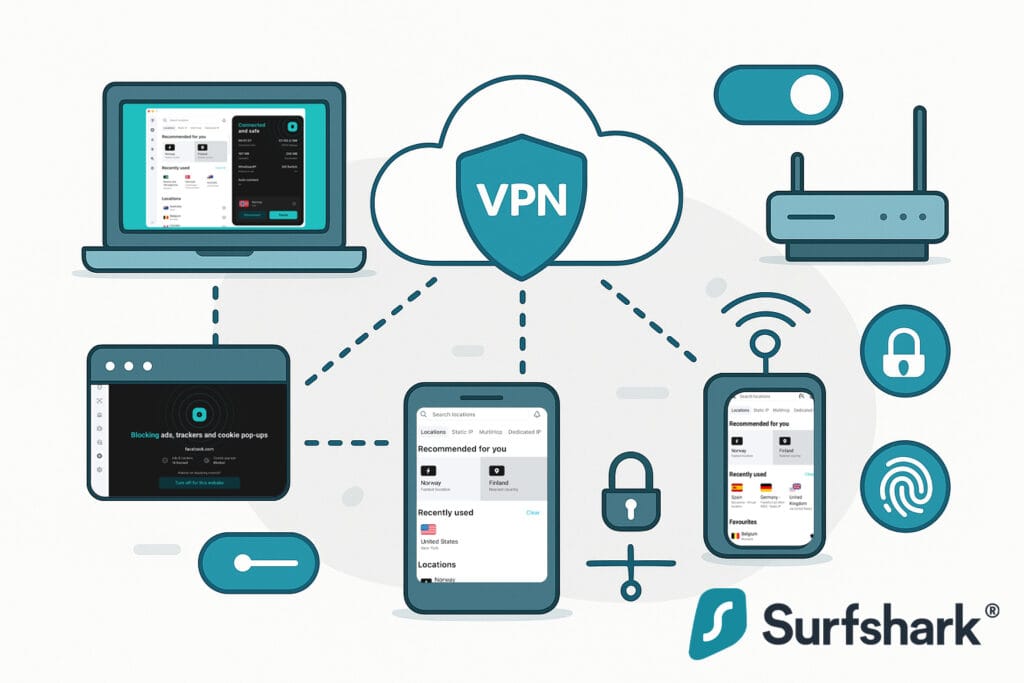
Surfshark delivers one of the most versatile app lineups in the VPN market, with native software for nearly every platform, unlimited device connections, and a consistent feature set across desktop, mobile, and streaming devices. Its intuitive design, quick access to core tools, and polished onboarding make it equally appealing to beginners and power users alike.
Platform Availability
Surfshark offers one of the most comprehensive device coverage lists in the VPN market. Desktop users get native apps for Windows, macOS, and Linux, with a dedicated Linux GUI since 2022. Mobile users have full-featured iOS and Android apps, regularly updated with new tools, performance upgrades, and design refinements.
For home entertainment, it supports Fire TV and Android TV, with Smart DNS for Apple TV, consoles, and other devices. Browser extensions for Chrome, Firefox, and Edge offer quick-connect protection, while router setup (AsusWRT, DD‑WRT, OpenWRT) secures every device in your network with a single configuration.
With this breadth of compatibility, Surfshark ensures you can stay protected whether you’re working on a laptop, streaming on a smart TV, gaming on a console, or browsing casually on your phone. This flexibility makes it an excellent choice for households and individuals managing multiple connected devices.
Core In‑App Tools & Feature Parity
Surfshark packs the everyday essentials into a clean, consistent toolkit. Here’s what you actually get in the apps and how it translates across platforms.
Kill Switch
Reliable on desktop and mobile, with soft/hard modes to block only when the tunnel drops or cut all traffic until reconnected.
Split Tunneling
“Bypasser” routes specific apps or sites outside the VPN, ideal for banking apps, LAN devices, or region-locked services.
Protocol Switching
Switch between WireGuard, OpenVPN, and IKEv2. Works with auto-connect for faster startup and stable performance.
CleanWeb
Built-in DNS-level ad, tracker, and malware blocking to speed up browsing and reduce unwanted scripts.
Feature Parity
Core tools are consistent across OS platforms, with the only gap being lack of full cloud profile sync.
Unlimited Devices
One account covers as many connections as you need, perfect for households or small teams.
Day to day, this mix covers the big three: privacy (kill switch), control (split tunneling), and performance (protocol choice), without forcing you into platform‑specific workarounds.
User Interface & Ease of Use
Surfshark’s interface is sleek, uncluttered, and highly beginner-friendly. Whether you’re on desktop, mobile, or TV, the design remains consistent, so switching devices doesn’t require learning a new layout.
Core actions like connecting, switching servers, or changing protocols are usually just one or two taps away. The connection dashboard is responsive and well-organized, with the quick-connect button always in view.
Key usability highlights:
- ✅ Quick Access: Core tools, favorites, and protocol switching within 1–2 taps/clicks.
- ✅ Onboarding: Built-in AI chatbot, tooltips, and setup guides keep the learning curve minimal.
- ✅ Navigation: Favorites list for instant access to preferred servers.
- ✅ Accessibility: Multi-language support, though no documented assistive features like screen reader optimization.
Overall, the app strikes a balance between simplicity for newcomers and efficiency for experienced VPN users, making everyday use fast, intuitive, and frustration-free.
App Performance & Stability
Surfshark’s apps launch quickly and connect in under two seconds in most scenarios, delivering a responsive feel right from startup. While a few users report occasional connection delays, these are rare and usually tied to specific server loads or local network issues.
Stability is a strong point, during extended testing across desktop and mobile platforms, no major crashes or freezes were encountered. The apps handled server switches and protocol changes smoothly, even under heavy load.
- Launch & Connect Speed: Typically <2 seconds; minor delays possible under peak traffic.
- Stability: Excellent; no major crashes in expert testing.
- Reconnection: Auto-reconnect is available, though not heavily covered in independent stress tests.
Simultaneous Connections & Device Limits
Surfshark allows unlimited simultaneous device connections on a single account across all supported platforms. This is a genuine policy, not a marketing caveat, and it works the same on desktop, mobile, smart TVs, and browser extensions. It is one of Surfshark’s most practical advantages for households, shared setups, and small teams.
You can also configure Surfshark on a compatible router, which protects every device on that network in one go. Combined with the unlimited device policy, you are free to connect laptops, phones, consoles, and streaming sticks without juggling logins or hitting caps.
- Why it matters: No need to micromanage which devices stay signed in, you can keep everything protected at once.
- Reality check: Overall performance still depends on your internet bandwidth and device hardware, not on a connection cap.
Missing Features & Limitations
Surfshark offers a strong, well-rounded app experience, though a few limitations remain. Full cross-device settings sync is missing, with most preferences saved locally rather than in the cloud. Accessibility options are basic beyond multi-language support, and while auto-reconnect works reliably in practice, independent cross-platform stress testing is still limited.
Accessibility Options Limited
Multi-language UI is available, but there is no clear documentation for screen reader support or high-contrast modes.
No Custom Router Firmware
Routers are supported via manual setup guides. There is no one-click, vendor-provided firmware.
Auto Reconnect Limited Validation
Auto-reconnect exists, but independent, cross-platform stress tests are sparse. We score cautiously until verified.
No Cross-Device Settings Sync
Preferences are saved locally. Favorites may carry over, but there is no full cloud sync of app settings.
Apps, Features & UX Score
Surfshark offers polished, cross-platform apps with core VPN tools and unlimited connections. Navigation is clean, features are consistent across devices, but points are docked for no settings sync, limited accessibility, and occasional reported connection delays.
- ✅ Native apps for all major OS, smart TVs, browsers, and router setup
- ✅ Core tools: kill switch, split tunneling, protocol switching, CleanWeb
- ✅ Unlimited device connections for any number of users or devices
- ✅ Clean, intuitive UI with quick access and guided onboarding
- ⚠️ No cross-device settings sync; limited accessibility options
- ⚠️ Some reports of launch delays; experts see sub-2s connections
Support, Documentation & User Ratings
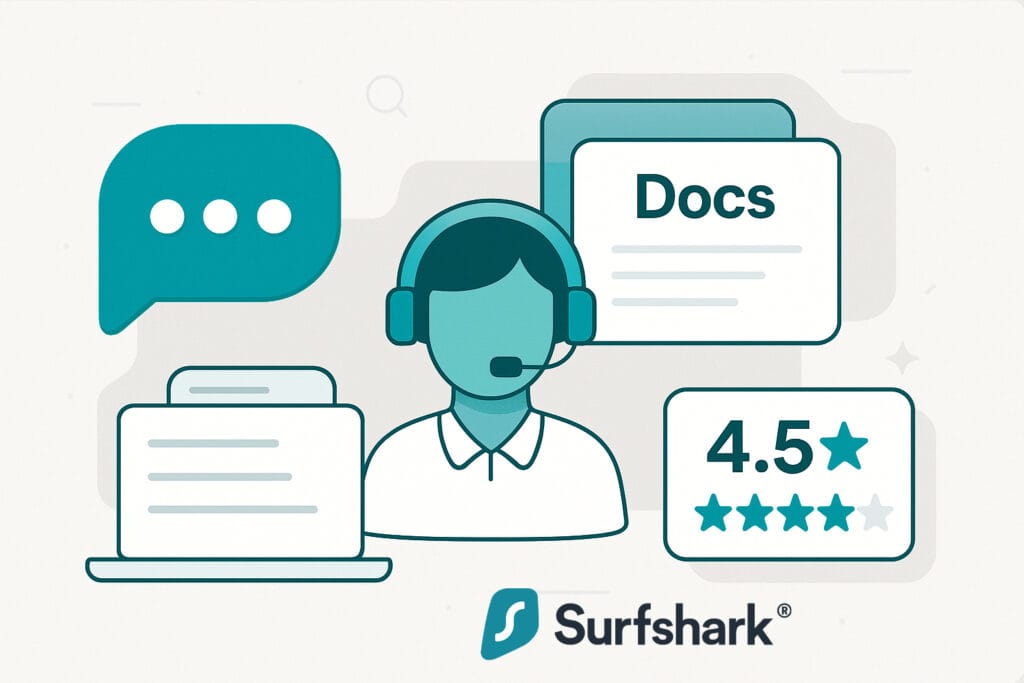
Surfshark offers 24/7 live chat, responsive email support, and active communities on Reddit and Discord, all in over ten major languages. Agents are known for quick replies and strong technical knowledge, backed by a well-structured help center, clear onboarding, and a solid public reputation for reliability and transparency.
Customer Support Channels & Availability
Surfshark provides a well-rounded support system designed for quick and convenient help, no matter the time zone. You can reach real human agents through 24/7 live chat on the website or in the apps, send queries via a tracked email/ticket system, or seek help from active community channels. The brand also supports more than ten major languages across both live chat and email, making assistance accessible worldwide.
24/7 Live Chat
Accessible from site and apps, with replies averaging under a minute from real human agents.
Email & Tickets
Provides tracked responses, usually within 24 hours and often under 4 hours.
Community Help
An active subreddit (~20K members) and Discord (~4K) provide peer-to-peer and moderator-assisted support.
Global Multilingual Support
Help available in 10+ major languages via both live chat and email.
With multiple channels, fast response times, and broad language coverage, Surfshark’s support infrastructure is both reliable and globally accessible, backed by a thriving community that often resolves questions before formal tickets are needed.
Response Speed & Quality
Surfshark’s support team is consistently praised for its speed, clarity, and technical skill. Independent tests show live chat responses in about 45 seconds, significantly faster than the advertised two minutes, with agents moving quickly from chatbot screening to human assistance. Email tickets average a 3–4 hour turnaround and are often resolved within a single day. Agents demonstrate strong knowledge in troubleshooting, setup guidance, and protocol recommendations, and support cases are tracked until issues are fully resolved.
- Live Chat Speed: Replies in ~45s, beating the 2-minute standard.
- Email Turnaround: 3–4 hours on average; most resolved within 24h.
- Agent Knowledge: Handles advanced troubleshooting and setup with ease.
- Follow-Up: Tickets tracked until resolution, with clear continuity.
Whether via chat or email, Surfshark’s support combines rapid response with technically capable agents, ensuring most issues are resolved promptly and without repeat contact.
Documentation & Self-Help Resources
Surfshark’s support library features platform-specific setup guides, from desktop to routers and Linux GUI. Its searchable knowledge base returns quick, relevant results, while in-app onboarding with tooltips, tutorials, and an AI chatbot helps new users. Multimedia resources like annotated screenshots and updated 2025 YouTube tutorials make learning even easier.
Setup Guides
Step-by-step instructions for all major OS, plus niche configs like routers and Linux GUI.
Knowledge Base
Searchable by category with fast, relevant results for common and advanced topics.
Onboarding Help
In-app tutorials, tooltips, and AI chatbot guidance for core features.
Multimedia Tutorials
Annotated screenshots, step-by-step visuals, and updated YouTube walkthroughs.
With these resources, Surfshark ensures users can find answers quickly, whether they’re new to VPNs or configuring advanced setups.
Public Reputation & Transparency
Surfshark maintains a strong reputation across industry review sites and user communities, backed by a clear commitment to transparency.
Transparency measures include an updated warrant canary (August 2025), regular transparency reports, Deloitte no-logs audits (2023 & 2025), and a SecuRing penetration test in 2025 that found no critical issues. Surfshark has also addressed issues like DNS leaks openly in community discussions.
User Ratings (as of mid-2025):
 Trustpilot: 4.5★ from 27K+ reviews, 74% 5★; responds to ~99% of negative feedback within 24h.
 Apple App Store: 4.7★ from 97.7K reviews — high volume and consistent positive sentiment.
 Google Play: 3.1★ from 181K reviews — low score largely due to older reviews and billing complaints, not current app quality (experts rate Android app 4.4–4.8★).
 Reddit Praise: In r/VPN and r/Surfshark, Reddit users praise Surfshark for its speed, reliability, strong features, and excellent value for money.
 Trustpilot: 4.5★ from 27K+ reviews, 74% 5★; responds to ~99% of negative feedback within 24h.
 Apple App Store: 4.7★ from 97.7K reviews — high volume and consistent positive sentiment.
 Google Play: 3.1★ from 181K reviews — low score largely due to older reviews and billing complaints, not current app quality (experts rate Android app 4.4–4.8★).
 Reddit Praise: In r/VPN and r/Surfshark, Reddit users praise Surfshark for its speed, reliability, strong features, and excellent value for money.
While Surfshark’s Android app rating on Google Play remains low due to legacy and billing-related reviews, independent testing and expert evaluations confirm that its current mobile experience is fast, stable, and feature-rich. Overall, its strong Trustpilot score, transparency measures, and positive community feedback make it one of the more reputable VPNs in its category.
Why Surfshark Google Play Rating Is Low?
Surfshark’s current 3.1★ Google Play rating is driven more by perception issues than actual app performance. A large share of 1★ reviews stem from billing and refund complaints, such as unexpected auto-renewals or cancellation confusion, rather than technical faults. Legacy negative reviews from earlier product versions still weigh heavily on the lifetime average, despite recent improvements.
Reddit discussions note that many criticisms relate to service expectations or feature “bloat,” not stability or speed. In independent 2025 tests, experts consistently rate the Android app between 4.4★ and 4.8★ for speed, stability, and features, highlighting a disconnect between current quality and the Play Store average.
Support, Docs & Ratings Score
Surfshark provides a complete support system with 24/7 live chat, fast email replies, multilingual help, and active Reddit/Discord communities. Its help center is detailed and user-friendly, with strong public ratings, though minor areas could improve.
- ✅ 24/7 live chat with real agents, replies in under a minute
- ✅ Email/ticket support averaging 3–4h turnaround with detailed resolutions
- ✅ Comprehensive help center with step-by-step guides, videos, and in-app tips
- ✅ Strong public ratings: Trustpilot 4.5★ (27K+ reviews), App Store 4.7★ (97.7K reviews)
- ⚠️ Google Play rating (3.1★) lowered by legacy and billing-related reviews, not current app quality
- ⚠️ Some tickets, such as refunds, may require multiple back-and-forths before resolution
Plans, Pricing & Refunds
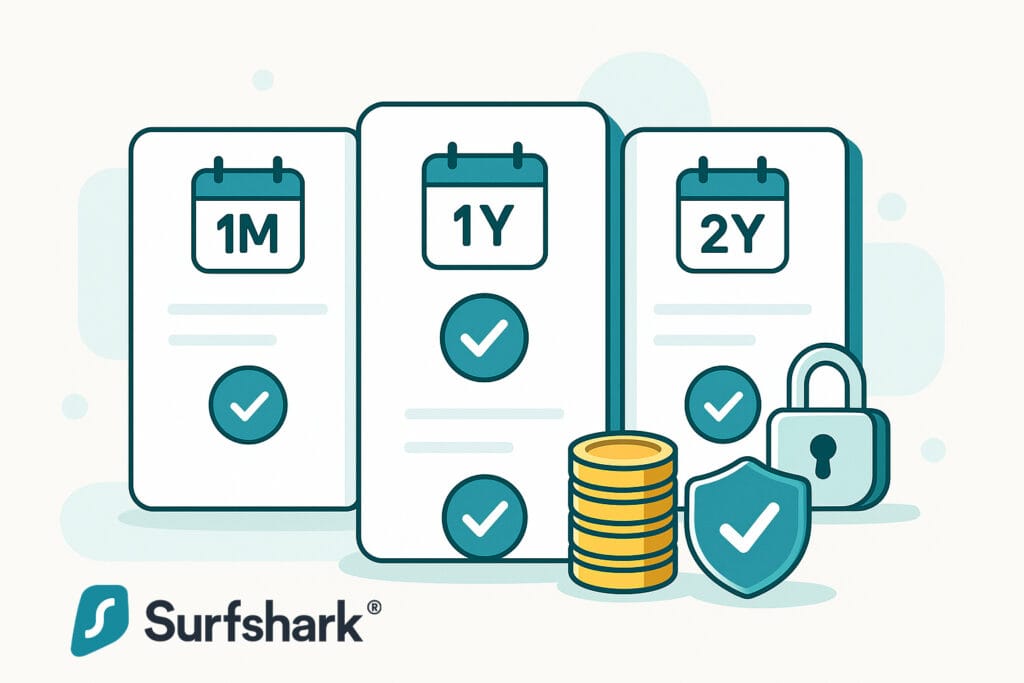
Surfshark pairs low long-term pricing with full access to core VPN features on every plan. Transparent renewals, flexible payments, and strong performance make it a high-value choice, explored here through its plans, refund policy, trial options, and billing clarity.
Subscription Plan Options
Surfshark offers three main subscription terms: a monthly plan, a standard annual plan, and a long-term 24-month Starter plan that works out to roughly $1.99/month (billed upfront). Renewal rates are clearly disclosed during checkout, with no hidden fees or surprise increases.
All plans include the full set of core VPN features, such as multi-hop, obfuscation, CleanWeb, streaming support, and unlimited devices, while optional extras like antivirus and dark web monitoring are offered separately.
| Plan | 1 Month | 1 Year | 24 Months | What You Get |
|---|---|---|---|---|
| Starter (VPN) | $15.45/mo | $3.19/mo | ⭐ $1.99/mo | VPN Only with all Core VPN features |
| Surfshark One | $17.95/mo | $3.39/mo | $2.49/mo | VPN + Antivirus, Surfshark Alert & Surfshark Search |
| Surfshark One+ | $20.65/mo | $6.09/mo | $3.99/mo | Surfshark One with Personal Data Removal service |
📝 Note: Prices shown are approximate and may vary by region, currency, or promotion.
Key takeaway: the long-term Starter plan delivers excellent value (≈ $1.99/month)
while keeping all core VPN features unlocked; security extras like antivirus and data removal are optional add-ons
in the One and One+ bundles.
Plans Features & Add-ons
While all Surfshark plans include full VPN functionality with unlimited devices, ad and cookie blocking, and advanced privacy tools, extra security and identity features are bundled into higher tiers.
The Starter plan offers the complete VPN experience, One adds antivirus, breach monitoring, and private search, and One+ unlocks data removal services for eligible regions. Below is a breakdown of what each tier includes.
| Plan | Key Features |
|---|---|
| Surfshark Starter ≈ $1.99/mo |
|
| Surfshark One ≈ $2.49/mo |
|
| Surfshark One+ ≈ $3.99/mo |
|
Optional Add-ons:
Dedicated IP
A unique IP address only you can use, available in 20 locations. Reduces CAPTCHAs, IP blocks, and extra verification steps.
Alternative Number
A virtual phone number that keeps your real number private. Helps avoid spam, scams, and identity theft.
Payment Methods & Billing Transparency
Surfshark supports a wide range of global and local payment options, making it easy to subscribe from almost anywhere. All renewal prices are clearly shown at checkout and in your confirmation email, with no hidden fees or forced add-ons.
- Credit & Debit Cards: Supports Visa, Mastercard, American Express, Discover and more (varies by region).
- Digital Wallets: Pay easily with PayPal, Google Pay, Apple Pay and Amazon Pay depending on your region.
- Cryptocurrency (via CoinGate): Supports Bitcoin, Ethereum and more
- Regional Payment Methods: Includes iDEAL, UnionPay, Sofort, and other country-specific options shown at checkout.
Checkout always displays both the first-term discount and the standard renewal rate, ensuring full transparency.
Refund Policy & Satisfaction Guarantee
Surfshark offers a 30-day money-back guarantee on all plans, exceeding the industry’s standard two weeks. Refunds are available for payments made via cards, PayPal, or cryptocurrency, and the process is quic, most are approved within minutes via 24/7 live chat or email.
Key refund highlights:
- Applies to all plan lengths, from monthly to multi-year
- No usage limits or restrictive conditions
- Refund requests accepted via 24/7 live chat or email
- Crypto payments are fully eligible
- Most refunds arrive within 3–7 business days
- Policy allows a second refund within six months if unused
Most users find the process smooth and no-pressure, with Surfshark standing out for combining crypto-friendly payments with flexible refund rights.
Surfshark allows a second refund within six months if the account remains unused, an uncommon customer-friendly policy among VPNs.
Free Trial Availability
Surfshark offers a 7-day free trial for Android, iOS, and macOS users, accessible via the Google Play Store, Apple App Store, or Mac App Store. The trial now requires payment details at signup, a change from its previous “no card” policy.
There’s no trial for Windows or Linux when downloading directly from the website, and Surfshark does not offer a permanent free plan. Users can instead take advantage of the 30-day money-back guarantee for broader platform testing.
Trial Limitations:
- Available only on Android, iOS, and macOS
- Payment details required at signup
- Auto-renews unless canceled before trial ends
- No Windows or Linux trial option
Feature-to-Cost Value Ratio
Surfshark delivers a premium set of VPN features at a budget long‑term rate. You get RAM‑only servers, multi‑hop, obfuscation, full P2P, streaming unlocks, and unlimited devices on every plan, perks many rivals reserve for pricier tiers. In practice, it outperforms most similarly priced VPNs on speed and cross‑platform coverage. The only caveats are mixed reliability in some high‑censorship regions and a few security extras upsold in One/One+ bundles.
✅ Verdict: For its long‑term price, Surfshark’s feature depth and real‑world speed make it one of the best value plays among premium VPNs.
Pricing & Value Score
Surfshark delivers one of the best value propositions in the VPN market. Long-term plans are extremely affordable, core features are included from the lowest tier, and the 7-day free trial offers risk-free testing alongside a 30-day money-back guarantee.
- ✅ Highly competitive long-term pricing, especially the 27-month Starter deal
- ✅ Core VPN plan includes advanced tools like MultiHop, Rotating IP, and unlimited devices
- ✅ Transparent checkout with clear renewal pricing and no hidden fees
- ✅ Offer 30-day money-back guarantee. and within 6 months of inactivity
- ✅ 7-day free trial plus 30-day money-back guarantee
- ⚠️ No free plan, free 7-days trial but requires payment details to start
Pros & Cons
Surfshark packs strong privacy tools, unlimited connections, and reliable streaming into an affordable package. While it offers impressive value, a few limitations, like the lack of a permanent free plan, may matter to some users.
Pros
- Audited no-logs policy, RAM-only servers
- Unlimited device connections
- Unblocks Netflix, BBC iPlayer, Disney+, Hulu
- Fast P2P speeds and full torrent support
- MultiHop, Camouflage Mode, IP Rotator
- CleanWeb ad, tracker, malware blocker
- 7-day trial (mobile/macOS) + 30-day refund
Cons
- Requires payment details for trial
- No permanent free plan
- Mixed results in high-censorship regions
Final Verdict
Surfshark continues to stand out in 2025 as one of the most versatile and value-packed VPNs on the market. Backed by an audited no-logs policy, a RAM-only server network, and unlimited device support, it offers a rare combination of strong privacy, reliable streaming access, and advanced extras like multi-hop and Camouflage Mode. Its performance remains competitive across global regions, with excellent speeds for both streaming and P2P use.
It’s an ideal pick for budget-savvy users, digital nomads, and households with many devices, as well as those seeking advanced privacy tools without sacrificing ease of use. While there’s no permanent free plan and the 7-day trial now requires payment details, Surfshark’s long-term plans deliver some of the best value in its class.
If you want a secure, high-performing VPN with unlimited connections and modern security features, Surfshark is a smart, future-proof choice.
Want to try it risk-free?
All plans include a 30-day money-back guarantee, letting you test the service on all devices before committing.
Fast, feature‑rich, and great value, Surfshark delivers strong privacy,
smooth streaming, and unlimited devices at a budget‑friendly price.
How scores are calculated: Each score is based on documented features, independent audits, speed benchmarks, support responsiveness, and user experience across devices. We apply consistent scoring criteria for all VPNs to ensure fair comparison. A full explanation will be available soon in our upcoming “How We Review” page.
Frequently Asked Questions
Is Surfshark VPN safe and private?
Yes. Surfshark has a strict no-logs policy, uses 100% RAM-only servers, and has passed multiple independent audits. It also offers features like a kill switch, CleanWeb, and Camouflage Mode for added privacy.
Does Surfshark work with Netflix and other streaming platforms?
Yes. Surfshark consistently unblocks major platforms like US Netflix, BBC iPlayer, Hulu, and Disney+, though some regional libraries may require switching servers.
Is Surfshark good for torrenting?
Yes. Surfshark supports torrenting across all servers and offers unlimited bandwidth. Its kill switch, obfuscation, and strong encryption help protect torrent activity.
How many devices can I use with Surfshark?
You can use Surfshark on unlimited devices at the same time with just one account, great for families or users with many gadgets.
Where is Surfshark based?
Surfshark is headquartered in the Netherlands, part of the 14-Eyes alliance. However, its no-logs policy has been independently verified.
Does Surfshark offer a money-back guarantee?
Yes. Surfshark offers a 30-day money-back guarantee across all plans, letting you try it risk-free.
Is Surfshark better than NordVPN or ExpressVPN?
It depends on your needs. Surfshark is more budget-friendly and allows unlimited devices, while NordVPN and ExpressVPN may offer faster speeds or more advanced features.

Ash Sh.
Senior Research Strategist & Editor
I’m the senior research strategist and editor at VPNProxySolutions.com, where I focus on analyzing VPNs, proxy networks along with various online privacy technologies. With over seven years of experience in cybersecurity research, I’ve developed a structured approach to evaluating providers based on documentation, independent audits, public benchmarks and real-world use cases. My goal is to make complex digital privacy tools easier to understand, whether you’re comparing services, troubleshooting connections or just learning how anonymity works in practice.
About us