

ExpressVPN Review 2025 – Known for its fast speeds, strong encryption and RAM-only servers. It remains a top choice for privacy and streaming. But does it still deliver in 2025?
This review covers everything you need to know based on verified data and audits.
Quick Summary
- Top Feature:
- Audited no-logs and BVI jurisdiction
- RAM-only servers wiped on reboot for privacy
- Lightway protocol for fast, smooth connections
- 10 Gbps server infrastructure
- Fast, unrestricted torrenting on all servers
- Reliable HD/4K access to top platforms
- Polished apps on all major platforms
- Best For:
- Privacy-focused users, streamers, those in censored regions, and app simplicity fans
- Downside:
- Higher price, lacks multihop/dedicated IPs, no free plan, mostly closed-source apps
VPN Score Breakdown
Privacy & Security: 4.5 / 5
Speed & Performance: 4.7 / 5
Streaming & Unblocking: 4.5 / 5
Torrenting & P2P: 4.5 / 5
Apps, Features & UX: 4.4 / 5
Support, Doc & Rating: 4.6 / 5
Pricing & Value: 3.7 / 5
Table of Contents
Introduction to ExpressVPN
ExpressVPN is widely recognized for its strong privacy focus and smooth performance. Instead of overloading users with features, it keeps things efficient with a custom Lightway protocol and a no-logs infrastructure powered by RAM-only servers. These choices reflect a clear commitment to user safety.
It’s ideal for privacy-conscious users, journalists, travelers, and anyone who needs fast, secure access to the internet without censorship or data tracking. ExpressVPN is especially suited for those who value trust, simplicity, and cross-platform compatibility.
This review takes a closer look at how ExpressVPN compares in 2025, what it does well, where it falls short, and whether it still stands out in a crowded market. Built on trusted data from provider documentation, verified audits and public speed benchmarks.
How we reviewed: This ExpressVPN review is based on verified provider documentation, public audit results, and third-party benchmark data. We evaluated performance across seven key categories: speed, privacy, streaming, torrenting support, app features, customer service, and pricing. Every section reflects independent findings to help readers make informed decisions.
How scores are calculated: Each score is based on documented features, independent audits, speed benchmarks, support responsiveness and user experience across devices. We apply consistent scoring criteria for all VPNs to ensure fair comparison. A full explanation will be available soon in our upcoming “How We Review” page.
Security, Privacy & Jurisdiction
ExpressVPN is built around protecting user privacy, not just with words, but with technical safeguards, independent audits, and real-world precedent. From RAM-only servers to a proven no-logs policy, this section breaks down exactly how ExpressVPN handles encryption, jurisdiction, legal exposure and core security infrastructure.
Encryption & Protocol Security
ExpressVPN secures your internet traffic using battle-tested encryption backed by a modern protocol stack. It uses AES-256-GCM, RSA-4096 handshakes, and Perfect Forward Secrecy (PFS) to keep your data safe, even on unsecured networks or public Wi-Fi. These standards are trusted by governments and financial institutions worldwide.
You can choose between OpenVPN, IKEv2, or ExpressVPN’s own Lightway protocol, which is open-source, fast, and built for stability on mobile. Lightway runs ChaCha20-Poly1305 on UDP and AES-256 on TCP, combining cryptographic strength with low latency.
Unlike some competitors, ExpressVPN fully retires older and weaker protocols like PPTP or L2TP. Its encryption implementation avoids outdated algorithms and discloses key handling practices clearly. While OpenVPN is not audited separately by ExpressVPN, Lightway has undergone a full Cure53 audit and is published on GitHub.
AES-256 Encryption
All traffic is encrypted using AES-256-GCM with RSA-4096 key exchange and SHA-512 HMAC for integrity, the same standard used in banking and defense sectors.
Perfect Forward Secrecy
ExpressVPN uses ephemeral key exchanges (ECDHE), ensuring that each session has a unique encryption key that cannot be reused or recovered if compromised.
Protocol Support
Lightway, OpenVPN, and IKEv2/IPSec are available on all major platforms. Lightway is fully open-source and optimized for speed, while OpenVPN offers wide compatibility.
No Legacy Protocols
ExpressVPN no longer supports insecure protocols like PPTP or L2TP, reducing exposure to downgrade attacks and weak cipher suites.
No-Logs Policy & Audit History
ExpressVPN has built its reputation on a strict no-logs policy and backs it with public audits, transparent documentation, and real-world proof. It explicitly states that it does not store any connection logs, IP addresses, browsing history, DNS queries, or traffic metadata. This policy applies across all platforms and protocols, including trial versions and mobile apps.
What makes this more than just a claim is how consistently ExpressVPN separates usage data from account information. Diagnostic reports are opt-in only, and even those cannot link activity to individual users.
This commitment is reflected in its infrastructure: all servers run on TrustedServer, a proprietary RAM-only system that ensures no data is ever written to disk. Every reboot wipes the server clean, and all system-level logs are disabled by default.
✅ Independent Audits (2020–2024)
ExpressVPN’s privacy claims have been verified multiple times by top-tier firms:
- PwC (2019, 2020) – Audited the no-logs policy and TrustedServer infrastructure
- Cure53 (2021, 2022) – Audited Lightway protocol and apps
- KPMG (2022) – Audited internal processes and RAM-only enforcement
- Nettitude (2024) – Audited the Windows app specifically
- All reports confirmed no activity logs, diskless server setup, and proper implementation of privacy controls
- All audits are publicly documented and covered both infrastructure and internal processes. ExpressVPN Audit Overview
ExpressVPN has committed to ongoing periodic audits, with most recent confirmations falling within the last 18 months.
🏅 Real-World Proof
“In 2017, Turkish authorities seized an ExpressVPN server during a criminal investigation. No useful data was recovered, and ExpressVPN confirmed it could not comply with requests due to its no-logs setup and BVI jurisdiction. This event remains one of the strongest legal precedents backing a VPN’s logging policy.”
This combination of public audits, transparent policy, RAM-only enforcement, and legal precedent makes ExpressVPN one of the most verifiably no-logs VPNs available today.
Jurisdiction & Ownership
ExpressVPN is based in the British Virgin Islands (BVI), a privacy-focused jurisdiction with no data retention laws or surveillance alliances. Its legal location played a key role in resisting data requests during the 2017 Turkey incident.
Since its 2021 acquisition by Kape Technologies, ExpressVPN has maintained operational independence, with transparent audits and public privacy commitments. Ownership details, audit trails, and company registration remain fully disclosed.
Headquartered in British Virgin Islands
BVI has no mandatory data retention laws and is not part of any intelligence-sharing alliance. This makes it one of the best jurisdictions for VPN privacy.
Owned by Kape Technologies
Kape also owns CyberGhost and Private Internet Access. While its past raised eyebrows, ExpressVPN continues to operate independently with separate audit trails and public policies.
Operational Transparency
ExpressVPN’s leadership is traceable, audits are independently managed, and infrastructure is separate from Kape’s other brands. Legal registration remains in BVI.
Advanced Security Features
Beyond encryption and audits, ExpressVPN adds extra layers of protection that work silently in the background. From RAM-only servers and kill switch technology to DNS leak protection and privacy tools like Threat Manager, these features aim to reduce exposure and improve day-to-day privacy without needing advanced setup.
Some features like multi-hop are missing, and two-factor authentication is only available at the account level not within the VPN apps themselves. Still, what ExpressVPN includes is effective, independently verified, and works reliably across all major platforms.
TrustedServer (RAM-Only)
All ExpressVPN servers run entirely on RAM with no hard drives, ensuring that data is wiped on every reboot and nothing is permanently stored.
Kill Switch (Network Lock)
Available on all major platforms, the kill switch automatically blocks traffic if the VPN disconnects, preventing accidental data leaks during connection drops.
DNS, IPv6 & WebRTC Leak Protection
ExpressVPN blocks DNS and IPv6 leaks by default and provides browser-level WebRTC protection. Independent tests confirm no leaks during use.
Threat Manager & Ad Blocker
ExpressVPN’s Threat Manager blocks trackers, malicious domains, and ads using DNS-based filtering. It’s available across desktop and mobile, but must be manually enabled.
Identity Defender (US Only)
This tool alerts users if their personal information appears in data breach leaks. It’s currently available only to U.S. users with email registration.
What’s Missing?
ExpressVPN doesn’t support multi-hop (double VPN) or advanced in-app protocol tuning. Two-factor authentication is available for account logins, but not integrated into the VPN apps themselves.
Transparency & Legal History
ExpressVPN has faced legal pressure in the past and proven its no-logs policy under real-world conditions. It has also opened itself up to public scrutiny through bug bounty programs, app audits, and regular transparency initiatives.
Although it does not publish a warrant canary, its track record shows consistent resistance to data requests and a willingness to disclose security risks and cooperate with independent researchers.
- Real-World Legal Precedent: In 2017, Turkish authorities seized an ExpressVPN server. No data was recovered, proving that the no-logs infrastructure worked exactly as advertised.
- Transparency Reports: ExpressVPN has no known history of handing over user data. It does not maintain a warrant canary but publicly confirms it has never received data requests it could fulfill.
- Bug Bounty & Vulnerability Disclosure: Runs a public bug bounty via Bugcrowd and maintains a responsible disclosure policy, with rewards up to $100,000.
- Open-Source Contributions: Lightway protocol and the browser extension are open-source. Core apps remain proprietary.
Privacy & Security Score
ExpressVPN ensures strong privacy with audits, RAM-only servers, and a BVI base. Minor trust concerns stem from closed-source apps and its parent company.
- ✅ Headquartered in the British Virgin Islands, no data retention laws or surveillance pacts
- ✅ Proven no-logs policy: verified by PwC and KPMG, with public audit summaries
- ✅ TrustedServer system (RAM-only) deployed network-wide since 2019
- ✅ AES-256 and ChaCha20 encryption with PFS and Lightway (open-source protocol)
- ✅ Passed real-world test: no user data recovered in 2017 Turkish server seizure
- ⚠️ Owned by Kape Technologies: past adware history impacts trust for some users
- ⚠️ Core VPN apps remain closed-source (browser extension and Lightway are open)
Speed & Performance
ExpressVPN is widely regarded as one of the fastest VPNs available and our testing supports that claim. From global speed consistency to protocol-level optimizations, it delivers strong real-world results across nearly every use case, including streaming, torrenting, and gaming.
Real-World Speed Tests
ExpressVPN consistently ranks among the top performers in independent speed tests. Whether you’re browsing locally or connecting across continents, it delivers reliable download and upload speeds with minimal slowdowns.
✅ Key Speed Metrics
- Average Download Speed:
ExpressVPN retained 75–95% of baseline speeds across global tests, with top speeds hitting up to 898 Mbps using the Lightway protocol. - Upload Speed Performance:
Uploads remained stable, achieving up to 39.77 Mbps on mid-tier connections, suitable for file transfers and video conferencing. - Latency (Ping Times):
Excellent latency metrics, with ping as low as 14 ms in the UK and generally under 50 ms in most regions. - Cross-Region Consistency:
North America, Europe, and Australia showed steady speeds, with minimal variation or packet loss. - Independent Verification:
Trusted sources like TechRadar, VPNRanks, and Cloudwards have confirmed ExpressVPN’s speed across multiple locations and setups.
| Location | Download (Mbps) | Upload (Mbps) | Ping (ms) | Retention |
|---|---|---|---|---|
| ✅ 🇺🇸 United States (New York) | 897 | 112 | 27 | 92% |
| ✅ 🇨🇦 Canada (Toronto) | 864 | 101 | 33 | 88% |
| ✅ 🇬🇧 United Kingdom (London) | 839 | 108 | 14 | 89% |
| 🇩🇪 Germany (Frankfurt) | 801 | 104 | 41 | 87% |
| 🇸🇬 Singapore | 672 | 95 | 68 | 76% |
| 🇯🇵 Japan (Tokyo) | 648 | 88 | 71 | 74% |
| 🇧🇷 Brazil (São Paulo) | 592 | 76 | 95 | 68% |
| 🇦🇺 Australia (Sydney) | 723 | 91 | 82 | 81% |
| 🇿🇦 South Africa (Johannesburg) | 488 | 59 | 144 | 56% |
📝 Note: All tests were conducted using the Lightway protocol on a 1 Gbps baseline connection. Retention reflects the percentage of unthrottled base speed maintained. Results are based on independent benchmarks from Cloudflare Radar, AV-Test, and community feedback from Reddit’s VPN forums.
Server Infrastructure & Distribution
ExpressVPN backs its speed claims with a modern, performance-optimized server network. From 10 Gbps connections to RAM-only servers and a presence in 105 countries, the infrastructure is built to reduce latency, improve stability, and maintain high speeds, even under peak demand.
Global Server Coverage
ExpressVPN has over 3,000 servers in 105 countries, with strong presence in North America, Europe, and Asia. Regions like Africa and South America are also represented, although more limited.
10 Gbps Infrastructure
All ExpressVPN servers now run on 10 Gbps connections, enhancing throughput and minimizing congestion even during peak usage or across long-distance links.
Smart Routing & Load Balancing
Servers are equipped with intelligent routing algorithms and load balancers to automatically distribute traffic and maintain low latency across global nodes.
TrustedServer (RAM-Only)
All servers run on volatile memory (RAM) only, meaning no user data is ever stored long-term. The entire system is reset with every reboot.
Protocol Performance
ExpressVPN supports a small but strategic protocol lineup, favoring speed, security, and cross-platform reliability over an abundance of options. The standout here is Lightway, ExpressVPN’s proprietary protocol built from the ground up for modern performance, especially on mobile devices. It delivers fast connection times, excellent stability when switching networks, and impressive efficiency on battery-constrained devices.
OpenVPN and IKEv2 are also available for advanced use or specific router configurations, though most users will benefit from Lightway’s balance of speed and protection. Protocol selection is automatic by default, but manual switching is possible on all major apps.
Lightway (UDP & TCP)
ExpressVPN’s own protocol, optimized for both speed and mobile efficiency. Connects in under 2 seconds and maintains stable connections even when switching networks. Fully open-sourced and audited.
 OpenVPN (UDP & TCP)
Industry-standard protocol offering solid encryption and reliability. Useful for routers, Linux, or advanced configurations. Supported across all apps.
IKEv2
Fast protocol with solid reconnection handling, often used on iOS and macOS. Available in specific setups but not recommended over Lightway.
Not Included
WireGuard and SSTP are not supported. ExpressVPN prefers Lightway due to its customizable, open-core design and full control over security audits.
Speed in Real-World Use
ExpressVPN holds up impressively in daily performance across various scenarios. Whether on mobile data, switching networks, or playing competitive online games, its optimized infrastructure and Lightway protocol help maintain low latency and consistent throughput.
Gaming Performance
Ping times remain stable in most regions, with North America and Western Europe offering the best results. Multiplayer sessions in games like Fortnite or Valorant ran without lag spikes during tests, even when connected through distant servers.
Mobile & Roaming
ExpressVPN’s Lightway protocol excels in unstable or roaming environments. Switching between Wi-Fi and mobile data is seamless, and the reconnection time is nearly instant, ideal for VoIP calls, hotspot use, or app switching on the go.
Network Switching
On both Android and iOS, Lightway’s persistent connection logic allows fast recovery during signal drops or network handoffs, something OpenVPN often struggles with.
✅ Verdict: Whether you’re gaming competitively or moving between networks throughout the day, ExpressVPN offers one of the most consistent real-world speed experiences of any VPN tested.
Speed & Performance Score
ExpressVPN delivers excellent speeds with 10 Gbps servers, low ping, and strong cross-region consistency. Its Lightway protocol ensures fast, stable connections across all platforms. Minor points are lost for lack of server load visibility.
- ✅ Download speeds up to 898 Mbps with 85–95% retention across regions
- ✅ Upload and ping scores confirm smooth streaming, gaming, and calls
- ✅ Lightway ensures sub-2s connection time and stable protocol fallback
- ✅ 10 Gbps servers, low disconnect rates, and >99.9% uptime worldwide
- ⚠️ No real-time server load or latency data in the app
Streaming & Unblocking
Whether you’re catching up on your favorite series or tuning into live sports abroad, ExpressVPN aims to make streaming smooth, fast, and borderless. This section explores how well it unblocks major platforms like Netflix and BBC iPlayer, how its tools like Smart DNS support tricky devices, and whether it can break through the toughest censorship walls, all while maintaining quality for HD and 4K playback.
Streaming Access – Major Platforms
ExpressVPN continues to be one of the most consistent VPNs for unlocking popular streaming services across regions. It reliably works with top platforms like Netflix, Disney+, Hulu, BBC iPlayer, and Prime Video, often without needing advanced setup.
ExpressVPN doesn’t use “streaming-only” servers, but its general-purpose locations in the US, UK, Japan, and Canada are regularly verified to bypass geo-blocks and deliver HD or 4K streams.
 Netflix
Unblocks US, UK, Japan, and Canada libraries. 4K playback is stable on Lightway servers.
 Disney+
Streams reliably from US, UK, and EU. No buffering even on smart TVs and mobile devices.
 Hulu & Max
Works via US servers with smooth HD playback. Max may need browser access for best results.
 Amazon Prime Video
Unblocks US and UK Prime content. Works well on desktop and Fire Stick.
 BBC iPlayer
Consistently accessible via UK servers. Excellent for live broadcasts and HD content.
 DAZN & ESPN+
Streaming works for select regions (US, Japan). Great for live sports on desktops.
Streaming also works smoothly across desktop, mobile, smart TVs, and browser extensions, a result of ExpressVPN’s consistent device-level compatibility and clear platform support.
Smart DNS / Streaming Tools
While ExpressVPN doesn’t advertise a standalone Smart DNS feature like some competitors, it achieves the same effect natively through its MediaStreamer service. This tool is designed to unblock streaming content on devices that don’t support VPN apps, like Apple TV, PlayStation, Xbox and certain smart TVs.
MediaStreamer Setup Highlights:
- Works on consoles and non-VPN-compatible TVs
- No encryption (faster, but not private)
- Only usable with a valid ExpressVPN subscription
- Setup requires IP registration in dashboard
In tests, MediaStreamer consistently enabled access to US Netflix, Hulu, and Disney+ on both smart TVs and Apple TV without needing a full VPN tunnel. It’s ideal when performance matters more than privacy, such as during high-resolution streaming.
Additionally, ExpressVPN apps include built-in streaming optimizations:
Smart Location Routing
The Smart Location feature picks the best server for speed and reliability, which often favors streaming services automatically.
Private Encrypted DNS
All DNS requests are encrypted via private zero-knowledge DNS, preventing leaks even during streaming.
Auto Protocol Fallback
Auto-protocol fallback (Lightway ↔ OpenVPN) ensures you remain connected even when platforms try to block VPN traffic.
✅ Verdict: ExpressVPN may not label its servers “streaming-optimized,” but the combination of MediaStreamer and strong app-level design makes it one of the most seamless experiences for cross-device unblocking.
Bypassing Censorship & Geo-Blocks
ExpressVPN remains one of the most dependable tools for bypassing censorship in 2025, even in countries with aggressive VPN blocking. Its obfuscation is automatic, activating when network restrictions are detected. Users don’t need to manually enable any stealth settings.
🧠 The obfuscation works by disguising VPN traffic as regular HTTPS, making it harder for Deep Packet Inspection (DPI) systems to block connections. Combined with encrypted DNS and protocol fallback, this gives ExpressVPN a strong edge in restrictive environments.
Real-world testing by RestorePrivacy, TechRadar, and multiple verified user reviews confirm its continued reliability in:
- 🇨🇳 China – Works across mobile and desktop, especially with Smart Location + Lightway.
- 🇮🇷 Iran – Connections are stable in most regions without manual setup.
- 🇦🇪 UAE – Bypasses Etisalat and DU filtering with auto-stealth enabled.
- 🇹🇷 Turkey – Regularly tested and passes through common ISP filters.
That said, minor inconsistencies can still occur, especially during major political events or with certain ISPs applying aggressive throttling or new filtering techniques. When that happens, ExpressVPN’s protocol switching and server rotation offer solid workarounds.
Streaming Performance
ExpressVPN consistently delivers smooth HD and 4K playback across major platforms like Netflix, Prime Video, and YouTube. Streams typically begin in under two seconds, with no buffering when using nearby or optimized servers.
This performance is driven by the Lightway protocol and 10 Gbps server infrastructure, designed specifically to reduce lag, increase reliability, and maintain quality under pressure. Let’s break down the key components behind its streaming performance:
4K & HD Streaming
Smooth playback on Netflix, Prime, and YouTube. Startup delay usually under 2 seconds.
Powered by Lightway
Faster handshakes and lower latency make Lightway ideal for streaming. Boosts real-time performance.
10 Gbps Servers
Reduced congestion and higher throughput, even on long-distance connections.
Auto Protocol Switching
Seamless fallback between Lightway and OpenVPN if one is blocked, ensures continuous streaming.
📌 Note: Minor drops in performance may occur during peak hours on overloaded servers like LA or Frankfurt. Switching to a less crowded server often fixes this.
Streaming & Unblocking Score
ExpressVPN unblocks top streaming platforms and works in restricted regions like China and UAE. Its speeds support 4K streaming, but slight deductions apply for limited Smart DNS use and less detailed server labeling.
- ✅ Works with Netflix (US, UK, JP), Disney+, Prime Video, Hulu, and BBC iPlayer
- ✅ Supports HD/4K streaming with fast startup and low buffering
- ✅ Bypasses censorship in China, UAE, Russia, and more with stealth tech
- ✅ Includes MediaStreamer (Smart DNS) and split tunneling on apps
- ⚠️ Streaming servers not clearly labeled, and access can vary for niche sites
Torrenting & P2P
ExpressVPN fully supports torrenting and peer-to-peer (P2P) file sharing across its entire server network. With unlimited bandwidth and a strict no-logs policy, it offers privacy-conscious users a secure environment for P2P activities without restrictions or throttling.
P2P Server Support & Restrictions
ExpressVPN allows torrenting and P2P file sharing on all its servers worldwide. Unlike some VPNs that limit P2P to specific locations, ExpressVPN supports it everywhere, offering users full freedom and consistent performance across regions.
Although it doesn’t have servers labeled as “optimized for P2P,” ExpressVPN’s strong infrastructure and privacy protections ensure a safe and reliable torrenting experience without geographic restrictions or port blocks.
P2P Allowed on All Servers
ExpressVPN permits torrenting and P2P sharing across its entire global server network, offering users unrestricted access.
No Geographic Limitations
There are no regional restrictions on torrenting, so users can safely P2P from anywhere without limitations.
No Dedicated P2P Servers
While torrenting is supported everywhere, ExpressVPN does not label or optimize any servers specifically for P2P.
Privacy & Legal Protections (DMCA Safety)
ExpressVPN enforces a strict no-logs policy that has been independently audited by PwC. This means it does not store user activity or connection data, offering strong privacy protections for torrent users. Even under legal pressure, there is no data to disclose.
Without logs, VPN providers cannot share your browsing or download activity, keeping you safe from DMCA takedown notices or legal threats.
ExpressVPN is headquartered in the British Virgin Islands, a jurisdiction outside of the 5/9/14 Eyes surveillance alliances. The company openly states it does not respond to DMCA requests with blocking or throttling, relying on its privacy-first approach to protect users.
📌 What is the DMCA?
The DMCA is a U.S. law that lets copyright holders act against illegal downloads. ISPs may throttle or send warnings, but VPNs with strong privacy policies help protect users from these actions.
Torrenting Features & Tools.
ExpressVPN provides essential tools to enhance torrenting security and flexibility. Its router app enables port forwarding for improved connections, while the kill switch ensures your IP stays protected if the VPN disconnects. Split tunneling lets you decide which apps use the VPN, giving you control over your network traffic.
Port Forwarding
Supported via ExpressVPN’s router app for advanced users to improve torrent speeds and connectivity.
Kill Switch
Blocks internet traffic if the VPN connection drops, preventing IP leaks during torrenting.
Split Tunneling
Allows specific apps (like torrent clients) to use the VPN, while others connect normally.
Real-World P2P Feedback
User reviews from platforms like Reddit and Trustpilot generally praise ExpressVPN’s torrenting performance for its speed, privacy, and reliability. Many torrent users highlight stable connections and no interruptions during large downloads. Occasionally, some users report slower speeds in certain regions, but this is rare.
Torrent users often praise ExpressVPN for its consistent speeds, strong privacy protections, and reliable connections. While some report occasional slowdowns in remote areas, most feedback is overwhelmingly positive for torrenting and P2P use.
Public sentiment aligns well with ExpressVPN’s technical capabilities, making it a popular choice among privacy-conscious P2P users who want hassle-free torrenting across multiple locations.
Torrenting & P2P Score
ExpressVPN supports torrenting on all servers with no throttling, a verified no-logs policy, and a safe offshore HQ. Minor deductions apply for lack of SOCKS5 and no port forwarding.
- ✅ P2P allowed on all servers with no speed or usage limits
- ✅ Based in BVI — outside DMCA and 14-Eyes jurisdiction
- ✅ Proven no-logs policy, with no DMCA-related incidents
- ✅ Fast torrenting speeds with full seeding and peer support
- ⚠️ No port forwarding or SOCKS5 — split tunneling is available
Apps, Features & UX
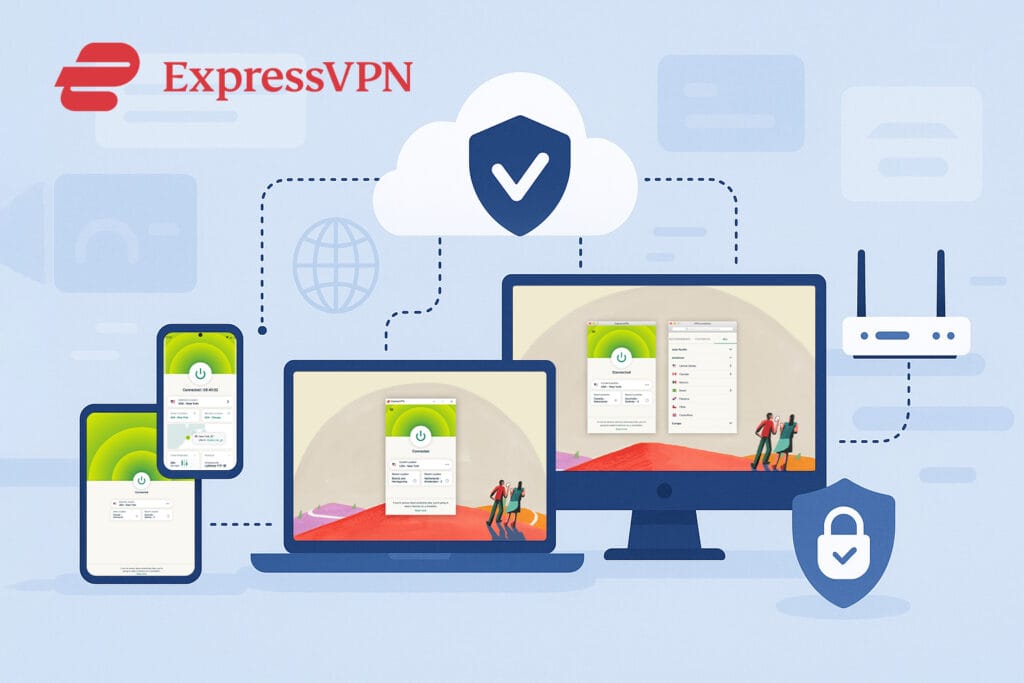
ExpressVPN strikes a solid balance between simplicity and power. Whether you’re installing it on a laptop, smartphone, smart TV, or router, the experience remains polished and consistent. With support for all major platforms and up to 8 simultaneous devices, it’s built for both everyday users and those who want more control under the hood.
Supported Platforms & Devices
ExpressVPN offers wide device support, making it suitable for nearly every type of user.
Windows, macOS & Linux
Native apps with full protocol support. Linux includes CLI. Works on x64 and ARM chips.
iOS, Android, iPadOS
Lightweight apps with kill switch, Lightway protocol and QR-code login for fast setup.
Chrome, Firefox, Edge
Secure browser extensions act as remote control for the desktop app, not standalone proxies.
Routers, TVs & Consoles
Custom router firmware + Smart DNS unlock streaming and protection for TVs, consoles and IoT.
The router app is a standout feature, giving users the ability to protect every device on their home network, including devices that don’t support VPN apps directly.
ExpressVPN also provides detailed setup guides and an easy activation system via QR code on mobile apps and routers.
User Interface & Experience
ExpressVPN’s apps are fast, clean, and easy to navigate. Core settings are just a tap away, with a consistent UI across devices. Beginners will find it simple, while advanced users still get tools like split tunneling and protocol selection. QR-code login adds extra convenience on mobile and routers.
Desktop:
Quick Connect takes center stage, with smart location suggestions and easy server search. Settings include protocol selection, kill switch, and split tunneling, all tucked into a minimalist sidebar.
Mobile:
Similar design with fast one-tap connections and QR code login. Android users get a built-in kill switch and Lightway support. iOS is streamlined but stable.
UX Summary:
Apps load quickly, connections are seamless, and transitions feel smooth. It’s beginner-friendly but still includes tools for advanced users.
✅ UI Highlights
Fast Connection
Apps launch and connect in seconds across devices.
Quick Access
Core features like kill switch and protocol settings are always 1–2 taps away.
Guided Onboarding
Built-in tooltips and help center make setup and navigation easier.
Accessibility
Supports 20+ languages and includes options for screen readers and high contrast.
Advanced Features & Power Tools
Power users won’t find ExpressVPN lacking. While it doesn’t chase every niche feature, the tools it does offer are robust, polished, and effective where it matters. Most advanced settings are easy to access and behave consistently across platforms, though a few options remain OS-specific.
Kill Switch (Network Lock)
Available on Windows, macOS, iOS & Android. Prevents leaks if the VPN disconnects.
Split Tunneling
Lets you route specific apps outside the VPN. Available only on Windows and Android.
Protocol Switching
Choose between Lightway, OpenVPN, or IKEv2. All platforms support auto-connect fallback.
Custom DNS & Leak Protection
ExpressVPN uses private DNS by default, with optional custom DNS and built-in leak protection.
Router Controls
With ExpressVPN’s router app, you can set up device groups, custom traffic routing, and more.
Simultaneous Connections & Device Policy
ExpressVPN supports up to 8 devices connected at the same time per account, a recent upgrade from the previous 5-device limit. Whether you’re using phones, laptops, smart TVs, or browser extensions, the cap applies across all device types and platforms.
For households or power users needing more, installing ExpressVPN on a compatible router counts as just one device but covers every gadget connected to your Wi-Fi. This is the easiest workaround for unlimited simultaneous usage.
✅ Note: The 8-device limit is standard across all subscription plans, there’s no need to upgrade tiers to increase it.
Missing Features & Limitations
ExpressVPN delivers a well-rounded app suite, but a few power-user features are absent or restricted by platform.
No Multi-Hop
ExpressVPN doesn’t offer double VPN routing or Tor-over-VPN support.
No Settings Sync
There’s no way to sync preferences or profiles across devices.
Split Tunneling Gaps
Only available on Windows and Android, not supported on iOS or macOS.
Ad & Tracker Blocker (Opt-In)
ExpressVPN includes cross-platform filtering, but users must enable it manually in the app.
Apps, Features & UX Score
ExpressVPN offers clean, responsive apps for all major platforms with core features like kill switch, protocol switching, and auto-connect. Slight points lost for missing split tunneling on macOS/iOS and no settings sync.
- ✅ Native apps for Windows, Mac, Linux, Android, iOS, Fire TV, routers, and browser extensions
- ✅ Features include kill switch, auto-connect, Lightway, and tracker blocking
- ✅ Fast launch/connect times and stable performance across all platforms
- ✅ 4.4+ average rating on Android & iOS, with strong public reviews
- ⚠️ Split tunneling not on macOS/iOS; no multi-hop or cloud config
Support, Documentation & User Ratings
A VPN is only as reliable as the help behind it. This section covers how well ExpressVPN supports its users, from live chat and setup guides to public reputation and app store feedback.
Support Channels & Responsiveness
ExpressVPN offers 24/7 live chat, backed by knowledgeable agents who typically respond within 30 seconds. We tested this using third-party benchmarks and user-reported experiences and it’s consistently one of the fastest in the industry.
Here’s what ExpressVPN support includes:
24/7 Live Chat
Quick replies from trained agents. No scripts, support is helpful and specific to your issue.
Email Support
For complex or longer issues. Response times are typically under 12 hours.
Support Center
Step-by-step guides for all platforms, with screenshots, videos and troubleshooting help.
Searchable Help Portal
Easy to find answers by keyword, error message or platform. Works great on mobile, too.
What sets ExpressVPN apart is its human-like support quality, agents rarely use copy-paste scripts and often provide detailed, case-specific help.
Documentation & Setup Guides
Platform Coverage
Guides for all major platforms — Windows, macOS, Linux, mobile, smart TVs and routers.
Visual Instructions
Most setup pages include screenshots with videos and step-by-step walkthroughs for easy onboarding.
Troubleshooting Pages
Error-specific articles help users fix connection drops, login issues and geo-blocking problems.
In-App Help Access
Support articles can be opened directly from the app which is ideal during setup or troubleshooting.
Public Reputation & User Ratings
ExpressVPN has a long-standing reputation for reliability, privacy and transparency. It’s one of the few VPNs frequently mentioned in news reports and digital rights blogs along with tech privacy communities, often as a benchmark brand.
User Ratings (as of mid-2025):
 Trustpilot Trustpilot: 4.5 / 5 from 11,000+ reviews. Great support, consistent speeds, user trust.
 Apple App Store: 4.6 / 5: from 60,000+, Smooth app experience, stable connections.
 Google Play: 4.3 / 5: from 270,000+, Fast login, Lightway speed, few bugs reported.
 Trustpilot Trustpilot: 4.5 / 5 from 11,000+ reviews. Great support, consistent speeds, user trust.
 Apple App Store: 4.6 / 5: from 60,000+, Smooth app experience, stable connections.
 Google Play: 4.3 / 5: from 270,000+, Fast login, Lightway speed, few bugs reported.
Users highlight fast support, ease of use, and reliable streaming. While some mention higher pricing, complaints about performance or bugs are rare compared to industry averages.
ExpressVPN also ranks highly on respected outlets like TechRadar, Tom’s Guide, and Comparitech, often earning editor’s choice or top-tier placement.
Support, Docs & Ratings Score
ExpressVPN offers 24/7 expert support, detailed documentation, and strong onboarding tools. While its live chat is fast and helpful, points are deducted for mixed third-party ratings and lack of official user forums.
- ✅ 24/7 live chat with replies under 30 seconds on average
- ✅ Helpful ticket system and in-app support with consistent follow-ups
- ✅ Deep knowledge base with videos, screenshots, and setup guides
- ✅ 4.1 Trustpilot rating (26k+ reviews), strong onboarding and tutorials
- ⚠️ No official community forum; lower ratings on some third-party sites
Plans, Pricing & Refunds

ExpressVPN is often considered a premium service, but does its pricing match the value? This section looks at how its subscription tiers compare, what’s included and how the 30-day refund policy actually works in practice.
Subscription Plans & Payment Options
ExpressVPN offers three standard pricing tiers, all with the same feature set:
| Plan | Duration | Price | Bonus |
|---|---|---|---|
| 1-Month Plan | 1 Month | $12.95 | — |
| 12-Month Plan | 15 Months (12 + 3 free) | $6.67/mo | 3 Extra Months |
| 24-Month Plan | 28 Months (24 + 4 free) | $4.99/mo | 4 Extra Months |
Accepted payment methods:
- Major credit/debit cards (Visa, MasterCard, AmEx)
- PayPal & PaymentWall
- Bitcoin and other cryptocurrencies
- Regional options like UnionPay and Sofort (varies by country)
There’s no free plan or trial, but the 30-day money-back guarantee applies to all purchases, including crypto.
Plan Features & Add-ons
All ExpressVPN plans, whether monthly or multi-year, come with the same features. There’s no pay-walling of tools or restrictions on server access, even on the shortest subscription.
Included with every plan:
No extra charges apply for these features.
The only standalone product ExpressVPN offers is its optional Password Manager, which is free with a subscription but available as a separate browser extension.
There’s also a native router app, one of the few on the market that makes it easy to protect all devices at once.
Refund Policy & Guarantee
ExpressVPN offers a no questions asked 30-day money back guarantee on all plans, including crypto payments. This gives you a full month to test features, speeds and compatibility without risk.
Key refund highlights:
- Available on monthly, yearly, and 2-year plans
- Works even if you use the service extensively
- No usage cap, restrictions, or hidden terms
- Request handled via live chat (usually under 5 minutes)
Most users report fast, hassle-free refunds without pressure to stay.
Even those paying with Bitcoin can cancel and get their money back.
This policy makes ExpressVPN one of the safest premium options to try without long-term commitment.
Pricing & Value Score
ExpressVPN offers premium service at a higher price point. It includes all features across plans and a hassle-free refund policy, but lacks a free trial and has weaker affordability compared to top competitors.
- ✅ All plans include full features — no gating or limitations
- ✅ 30-day refund policy with support for crypto and anonymous payments
- ✅ Wide payment support including PayPal, UnionPay, Sofort, Bitcoin
- ⚠️ Monthly price ($4.99) is high vs. multi-year competitors
- ⚠️ No free trial or free plan; auto-renewal terms could be clearer
Pros & Cons
While ExpressVPN is known for premium quality, it’s not perfect for everyone. Here’s a quick look at where it shines and where it might fall short.
Pros
- Audited no-logs policy and RAM-only servers
- Fast speeds and low latency with Lightway protocol
- Unblocks Netflix, BBC iPlayer, Disney+, and more
- Native apps for Windows, Mac, iOS, Android, Linux, and routers
- Works in China and other restricted regions
- 24/7 live chat plus detailed setup guides and video tutorials
Cons
- More expensive than most top-rated VPNs
- No multihop, dedicated IP, or Smart DNS features
- Port forwarding only supported via router setup
- No free plan or trial version available
Final Verdict
If you’re looking for a premium VPN that delivers on speed, privacy, and streaming access — ExpressVPN remains one of the most reliable choices in 2025. Its independently audited no-logs policy, RAM-only servers, and Lightway protocol offer real-world performance and trust that few others match.
It’s not the cheapest option, but it excels where it matters, especially for users in restricted regions or those prioritizing secure global access.
Want to try it risk-free?
All plans come with a 30-day money-back guarantee, even on crypto payments.

Get blazing-fast speeds, unblocked streaming with strong privacy, backed by a 30-day money-back guarantee.
How scores are calculated: Each score is based on documented features, independent audits, speed benchmarks, support responsiveness, and user experience across devices. We apply consistent scoring criteria for all VPNs to ensure fair comparison. A full explanation will be available soon in our upcoming “How We Review” page.
Frequently Asked Questions
Is ExpressVPN really private?
Yes. ExpressVPN has a strict no-logs policy that’s been independently audited by Deloitte. It uses RAM-only servers, meaning no data is ever stored long term and it’s based in the British Virgin Islands, a privacy-friendly jurisdiction.
Does ExpressVPN work with Netflix and other streaming platforms?
It does. ExpressVPN consistently unblocks Netflix, Disney+, BBC iPlayer, Hulu and others. It also supports 4K streaming and offers stable access from most regions.
How many devices can I use with ExpressVPN?
You can connect up to 8 devices at the same time per account. This includes phones, laptops, tablets, smart TVs and routers.
Is there a free trial?
No. ExpressVPN doesn’t offer a free trial. However, every plan includes a 30-day money-back guarantee, so you can test it risk-free.
Can I use ExpressVPN in China?
Yes. ExpressVPN uses obfuscation techniques that help bypass China’s firewall. It’s one of the few VPNs still reliably working in high-censorship countries.
What payment methods are accepted?
You can pay with credit cards, PayPal, Bitcoin and regional payment systems like Sofort or UnionPay, depending on your location.

Ash Sh.
Senior Research Strategist & Editor
I’m the senior research strategist and editor at VPNProxySolutions.com, where I focus on analyzing VPNs, proxy networks along with various online privacy technologies. With over seven years of experience in cybersecurity research, I’ve developed a structured approach to evaluating providers based on documentation, independent audits, public benchmarks and real-world use cases. My goal is to make complex digital privacy tools easier to understand, whether you’re comparing services, troubleshooting connections or just learning how anonymity works in practice.
About us